
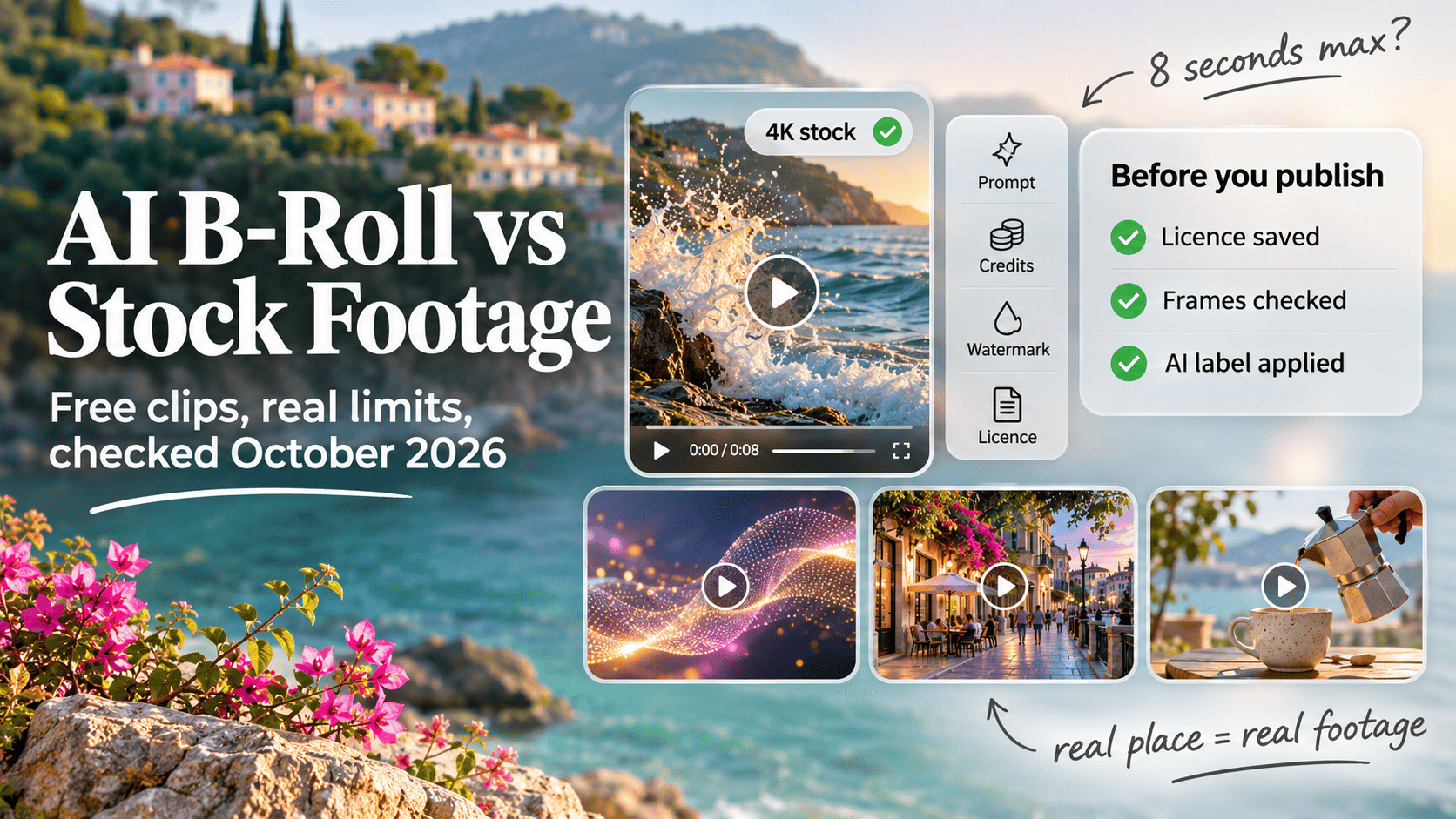
- Free AI video tiers are small. Google Flow gives non-subscribers 50 credits a day, enough for five 8-second Veo 3.1 Lite clips, and Runway's free plan is a one-time 125 credits, which works out to five 5-second clips in total.
- Most free AI output is watermarked or barred from commercial use. Runway, Kling and Google's Veo add a visible watermark, and Pika's free plan has no watermark but excludes a commercial licence.
- Free stock footage from sites like Pexels and Pixabay is unwatermarked, often 4K, and licensed for commercial use, though it carries no releases for brands or logos in shot.
- AI b-roll still struggles with physics. The Physics-IQ benchmark (2025) found video models' physical understanding "severely limited, and unrelated to visual realism".
- Realistic AI footage of real places or events needs a disclosure label on YouTube, and Meta requires one for photorealistic AI video. TikTok auto-labels uploads that carry C2PA Content Credentials.
- Use stock for real places, people and news; use AI for abstract, stylised or impossible shots; and keep a record of which clip came from where.
The short answer
For most b-roll, free stock footage is still the better default. It costs nothing per clip, comes without watermarks, is often available in 4K, and the big libraries license it for commercial use. Free AI video tiers give you a handful of short clips a day (or a one-off allowance), and many of them add a watermark or bar commercial use.
AI earns its place for shots stock can’t supply: abstract motion behind titles, stylised or impossible scenes, a product concept that doesn’t exist yet, or a very specific angle you can’t find. The rest of this guide shows where each one wins, using free-tier details we checked on each vendor’s own pricing and help pages in late October 2026.
What free AI video tiers give you in October 2026
Free AI video plans are small, change often, and are rarely described in full by the vendors. “Not published” in the table means the figure isn’t on the vendor’s official pages.
| Tool | Free allowance | Max clip length | Max resolution | Watermark on free | Commercial use on free |
|---|---|---|---|---|---|
| Google Flow (Veo 3.1) | 50 credits/day | 8s per clip | 1080p upscale not available | Yes, visible + SynthID | Not published |
| Gemini app (Veo / Omni) | Promo only (ended Aug 2026) | Not published | Not published | Yes, visible + SynthID | Not published |
| Runway | 125 credits, once | 10s (Gen-4 Turbo) | Not published | Yes | Not published for free tier |
| Pika | 0 credits; packs only | Not published | Not published | No | No |
| Kling AI | Daily credits, amount not published | Not published | Not published | Yes | Not published |
| Hailuo (MiniMax) | Not published | Not published | Not published | Reported yes | Reported no |
| Luma Dream Machine | No free plan listed | n/a | n/a | Yes (Free/Lite) | No (Free/Lite) |
| Adobe Firefly | Daily generations, count not published | Up to 8s (some 15s) | Not published for free | Not published | Firefly model: yes |
| Canva | Shared AI allowance, not published | 8s with audio | Not published | Not published | Not published |
| CapCut | Daily credits, amount not published | Not published for free | Not published | Depends on feature | Not published |
| OpenAI Sora | Discontinued | n/a | n/a | n/a | n/a |
Sources: Google Flow credits, Runway free plan and Gen-4 costs, Google on Veo watermarks, Pika pricing, Kling free plan, with the remaining vendor pages linked below.
Google Flow and Veo
Google Flow is the most generous free option at the time of writing. Google’s help page says that with no subscription “you receive only 50 Google Flow credits per day”, that unused credits don’t roll over, and that between roughly 2 pm and 5 pm UTC (1 am to 4 am in Melbourne and Sydney during daylight saving) free users may not be able to generate video at all. A Veo 3.1 Lite clip of 4, 6 or 8 seconds costs 10 credits and Veo 3.1 Fast costs 20, so the free grant covers five Lite clips or two Fast clips a day. Veo 3.1 Quality costs 100 credits, which a free account can never reach. Upscaling to 1080p is listed as unavailable to non-subscribers.
Google says it adds a visible watermark to all Veo videos except those made by Ultra members in Flow, plus an invisible SynthID watermark in everything its generative models produce (Google, 2025).
In the Gemini app itself, Google’s plans page lists video generation under paid tiers, not the free tier. Free users got a limited promotion of ten Gemini Omni videos in mid-2026, which ran until 11 August (Android Authority). YouTube Shorts also offers Veo-generated clips of up to 8 seconds in the Shorts camera, with an “AI-generated” label and SynthID applied to each clip (TechRadar, September 2025). That’s handy for a Short, less so as b-roll for an edit elsewhere.
Runway, Pika, Kling, Hailuo and Luma
Runway’s free plan is “a one-time deposit of 125 credits” that never refreshes, and the only video model on it is Gen-4 Turbo image-to-video. At 5 credits per second, that’s five 5-second clips, or two 10-second clips, for the life of the account. Every free video carries a Runway watermark. Runway’s commercial use answer says your content is “yours to use without any non-commercial restrictions”, but it doesn’t separate free from paid plans.
Pika is the odd one out: no watermark on free output, but “0 credits / month · packs only” and the commercial licence listed under “Not included”. Kling advertises daily free credits without stating the amount on its own pages, and says the free tier includes a watermark. Hailuo blocks automated access to its pricing page; a July 2026 guide reports a one-off welcome grant, 720p output, a watermark and no commercial rights on free (AI Video Sensei), which we couldn’t confirm first-hand.
Luma’s pricing page lists no free plan at all now, starting at Plus. Its licensing page says Free and Lite output is “for personal use only” with a watermark “that cannot be removed, even if you later upgrade”.
Adobe Firefly, Canva and CapCut
Adobe’s AI video generator page says Firefly is “free to use with a daily allotment of generations that resets every day”, that most models make clips up to 8 seconds and some up to 15, and that the Firefly Video Model is trained on licensed content such as Adobe Stock plus public domain material. Adobe calls output from its own model “designed to be safe for commercial use” and warns that partner models inside Firefly can have different terms. The plans FAQ doesn’t give the daily number.
Canva’s Create a Video Clip makes 8-second clips with audio or 6-second clips without, drawn from an AI allowance Canva doesn’t quantify. CapCut’s own free-tier explainer says it “does not publish one universal free max” resolution and that watermark-free export “depends on features and app version”.
What happened to Sora
Sora is no longer an option. OpenAI closed the Sora web and app on 26 April 2026 (The Decoder) and shut down the Sora 2 Videos API on 24 September 2026 with no named replacement (OpenAI). Free users had already been limited to 6 generations a day in November 2025 (TechRadar). Many “best free AI video” lists still rank it.
Quick check: Before you plan a project around any free AI tier, open the tool in your own account and look at the remaining credits and the export panel. Allowances vary by region and account age, and several vendors don’t publish them.
AI b-roll vs free stock footage, factor by factor
Free stock wins on price and licence clarity, usually on resolution too, and the main sites never add a watermark. AI wins on specificity and on shots that can’t be filmed. Here’s how they compare on the points that matter in an edit.
| Factor | Free AI generators | Free stock footage |
|---|---|---|
| Cost per clip | Free within a small daily or one-off cap | Free, no cap |
| Typical clip length | 4 to 10 seconds | Varies, usually longer |
| Resolution | 1080p and 4K usually paid | HD common, 4K widely available |
| Consistency across shots | Weak without paid reference tools | Same shoot gives matching clips |
| Physics and detail | Hands and on-screen text often fail | Real camera, real physics |
| Licence clarity | Varies by tool and plan | One published licence per site |
| Watermark | Common on free tiers | None on the main free sites |
| Disclosure labels | May be required | Not required |
| Time to usable clip | Minutes per attempt, several attempts | Minutes of searching |
| Exact match to your idea | Strong | Hit and miss |
Cost and time
A free stock clip costs nothing and there’s no daily cap. With AI, the real cost is the number of attempts. On Flow’s free tier, a bad generation burns 10 or 20 of your 50 daily credits, and on Runway’s free tier each failed 5-second clip uses a fifth of everything you’ll ever get. Searching a stock library takes time too, but the clip you download is the clip you saw.
Clip length and resolution
Short is fine for b-roll, since most cutaways last 2 to 4 seconds. The problem is resolution. Pixabay lists over 240,000 free video clips with HD and 4K available, Mixkit offers free 4K clips without watermarks, and Pexels titles its video library “Free 4K Stock Videos”. A 720p AI clip cut into a 4K timeline looks soft next to the A-roll.
Consistency across shots
Stock footage often comes in sets: the same model, kitchen or street shot from several angles in one session. AI generators make each clip from scratch, so the same “woman in a blue jacket at a café” changes face and outfit from one prompt to the next. Paid tiers add reference images and character tools; free tiers mostly don’t.
Realism artefacts
AI video looks convincing at a glance and breaks down on inspection: fingers merging on a keyboard, signage that melts into nonsense, liquids that pour upwards, objects passing through each other. Researchers behind the Physics-IQ benchmark, 396 real-world videos testing models such as Sora, Runway, Pika and VideoPoet, found that physical understanding is “severely limited, and unrelated to visual realism” (Motamed et al., 2025; INSAIT). A clip can look photoreal and still get the physics wrong.
Watch out: Scrub every AI clip frame by frame at full size before it goes in the edit. Hands, readable text, pouring or splashing liquids, and anything being picked up are where problems show first.
Licence clarity
Free stock sites publish a single licence. The Pexels licence says attribution isn’t required and modification is fine, but you can’t show identifiable people in a bad light or imply that people or brands endorse your product. Coverr allows commercial use, notes it holds no releases for brands, trademarks or landmarks, and bans using its videos to train AI. The full picture across sites is in our guide to the best free stock footage sites.
AI licences vary by tool and by plan, as the table above shows. And owning a licence to use a clip isn’t the same as owning copyright in it. The US Copyright Office concluded in January 2025 that prompts alone don’t give enough human control for the output to be protected (Copyright Office, Part 2), so your raw AI clip may be free for anyone to reuse.
Common mistake: Assuming a paid upgrade later fixes a clip made on a free plan. Luma says watermarks and personal-use limits on Free and Lite output stay even after you upgrade. Generate client work on the plan you intend to license it under.
Watermarks
Free stock from the main sites has no watermark. Free AI output usually does, and the invisible ones remain after you crop the visible mark. Google embeds SynthID in all Veo output, and Adobe attaches Content Credentials to Firefly output. Platforms can read those marks and label the clip for you.
Do you have to label AI b-roll?
Sometimes. If an AI shot looks real and shows a real place, a real person or an event that didn’t happen, the major platforms expect a disclosure. Abstract or obviously stylised clips usually don’t need one.
| Platform or rule | What triggers a label | How it’s applied |
|---|---|---|
| YouTube | Realistic synthetic scenes, real places, real people | Creator ticks “AI use” in Studio; auto-labels from C2PA |
| Meta (Facebook, Instagram, Threads) | Photorealistic video or realistic audio | Creator disclosure required; “AI info” label |
| TikTok | Realistic AI content | Creator label; auto-label via Content Credentials |
| EU AI Act Art. 50 | Deepfakes published by deployers | Disclosure; providers must mark output |
| Australia | No binding rule | Voluntary NAIC guidance on labels and metadata |
YouTube’s rules are the most specific. Disclosure is required for “extra AI footage of a real location”, with the example of a surfer added to a Maui travel promo, and for a realistic tornado heading toward a real city. It isn’t required for clearly unrealistic content, colour filters, background blur or upscaling. YouTube may label content automatically when it carries C2PA metadata, and creators can’t remove that label.
Meta said in February 2024 it would require people to disclose organic posts “with a photorealistic video or realistic-sounding audio that was digitally created or altered”, and “may apply penalties” if they don’t (Meta). TikTok became the first video platform to auto-label content using Content Credentials in May 2024 (TikTok Newsroom). Content Credentials are built on the C2PA standard, whose steering committee includes Google, Meta, TikTok, OpenAI and Adobe.
In the EU, Article 50 of the AI Act has applied since 2 August 2026: providers must mark synthetic video in a machine-readable way and deployers must disclose deepfakes, with fines up to €15 million or 3% of worldwide turnover (Baker Botts). Australia has no equivalent law yet. The National AI Centre’s November 2025 guidance, Being clear about AI-generated content, is voluntary and recommends visible labels backed by watermarking and accurate metadata.
Rule of thumb: If a viewer could believe an AI shot was filmed in the real world, label it. If it’s clearly abstract or animated, you don’t need to.
Do audiences mind AI b-roll?
Some do, and the research points to the same caution. NielsenIQ tested AI-generated ads on more than 2,000 people, about 150 of them with EEG, in December 2024. Viewers spotted most AI ads, rated them less engaging, and even high-quality ones produced weaker memory activation than traditional ads (NielsenIQ).
Animoto’s 2026 State of Video report, based on a September 2025 survey of 450+ US consumers and marketers, found 36% of consumers said an AI-generated video would lower their view of the brand, and named “robotic gestures” (67%) as the top giveaway. The same survey found 84% of marketers already use AI somewhere in video production (Animoto via Business Wire). Animoto sells video software, so treat it as a directional finding.
On disclosure, Getty Images’ VisualGPS research across 25 countries including Australia found almost 90% of consumers want to know whether an image was made with AI (Getty Images, 2024). That study covered still images, but the logic carries over to footage.
Our reading of these studies is that the risk sits mostly with people and faces. An AI-generated nebula behind a title card is unlikely to bother anyone; an AI “customer” smiling at a laptop might.
Which to use for each shot type
Pick by what the shot has to prove. If it implies “this is real”, use real footage. If it only has to set a mood or illustrate an idea, AI is fine.
| Use case | Best choice | Why | Label needed? |
|---|---|---|---|
| Talking-head cutaways | Stock | Real hands on real keyboards hold up | No |
| Product shots (your product) | Film it yourself | AI can’t render your real product accurately | n/a |
| Product concepts or mock-ups | AI | Shows what doesn’t exist yet | Often, if realistic |
| Abstract backgrounds and title loops | AI or stock | Physics errors don’t show | Usually no |
| Establishing shots of real places | Stock | A generated “Sydney” isn’t Sydney | Yes, if AI |
| News and documentary | Stock or archive only | Generated footage misleads | Yes, and avoid |
| Paid ads | Stock, or AI for stylised scenes | Licence certainty, platform ad rules | Check each platform |
| Impossible or fantasy scenes | AI | Nothing to film | No, if clearly unreal |
| Social hooks and memes | Either | Speed matters more than polish | Depends on realism |
For short-form social edits specifically, our guide to free clips for Reels and TikTok covers sources and copyright checks. The same trade-offs apply to still images, which we covered in AI image generators vs free stock photos.
A hybrid workflow that uses both
Treat AI as the gap-filler you reach for after stock. This order keeps your free-tier credits for the shots that need them:
- Write a shot list first. Mark each shot as “real” (people, places, products, events) or “illustrative” (moods, metaphors, backgrounds).
- Fill the real shots from stock. Search two or three of the free video sites in our directory before touching an AI tool. Prefer clips from the same shoot so cutaways match.
- Generate only the gaps. Use AI for illustrative shots stock didn’t cover. Start from a still frame if the tool supports image-to-video, which gives you more control over composition.
- Generate short, then extend. A 4-second clip at 10 credits on Flow is a cheaper test than 8 seconds at a higher tier. Extend only once the motion works.
- Match the look. Grade AI and stock clips together, add the same grain, and keep AI clips on screen briefly. Our roundup of free AI upscalers and background removers covers tools for lifting a 720p clip closer to your timeline resolution.
- Check and label. Scrub each AI clip at full size, then tick the platform’s AI disclosure if any realistic shot remains.
Worth knowing: AI answer engines now favour pages that cite primary sources and show their working. As a Melbourne AI SEO consultant, Saijo George sees the same principle in video: a clear record of where each clip came from makes your work easier to trust and to defend.
Keep a record of every clip
Whichever source you use, log it. If a licence changes, a platform labels your video, or a client asks where a shot came from, you’ll want the answer in seconds.
| Field | Stock clip | AI clip |
|---|---|---|
| Source | Site and clip URL | Tool, model and plan |
| Licence | Screenshot of licence page, dated | Screenshot of plan terms, dated |
| Creator | Contributor name | Your prompt and seed if shown |
| Releases | Note if brands or faces appear | n/a |
| AI status | Library’s AI label, if any | “AI-generated”, label applied Y/N |
| Watermark | None | Visible removed? SynthID or C2PA present? |
Store the log next to the project files. It takes about a minute per clip.
Questions you may have
Is there a completely free AI b-roll generator with no watermark?
Not one that also allows commercial use, among the major tools we checked. Pika's free plan has no watermark, but its pricing page lists the commercial licence as not included, and the plan comes with no monthly credits. Runway, Kling and Google's Veo all watermark free output. For clean, commercial-safe clips at no cost, free stock footage is still the reliable option.
Can I use free AI-generated video in client work?
Only if the tool's terms allow it on the plan you used. Luma's licensing page says Free and Lite output is for personal use only and the watermark stays even if you upgrade later. Adobe says output from its own Firefly Video Model is designed to be commercially safe, while partner models inside Firefly can have different terms. Save a screenshot of the terms with the delivered files.
Is Sora still free to use?
No. OpenAI closed the Sora web and app experience on 26 April 2026 and shut down the Sora 2 Videos API on 24 September 2026, according to its API deprecations page and The Decoder's report. Before that, free users had been cut to 6 generations a day in November 2025. Any site still offering "free Sora" is a third-party wrapper, so check its terms carefully.
Who owns the copyright in an AI-generated video clip?
Possibly nobody. The US Copyright Office's January 2025 report concluded that prompts alone don't give enough human control to make the output copyrightable, though your edit, arrangement and added material can be. In practice, a competitor may be able to reuse your raw AI clip. Our guide on whether AI images are copyrighted covers this in more depth.
Do I need to label a single AI b-roll shot in an otherwise real video?
On YouTube, yes, if the shot is realistic and shows a real place or a scene that didn't happen. YouTube's disclosure rules give the example of adding generated footage of a surfer in Maui to a real travel promo. Unrealistic or animated content, colour grading, upscaling and background blur don't need disclosure. If the shot is abstract, such as flowing particles behind a title, no label is required.
Does Canva's free plan include AI video generation?
Canva's help page for Create a Video Clip says it makes 8-second clips with audio or 6-second clips without, and that it counts toward your AI usage allowance. It does not publish how many clips a free account gets. Open the tool in your own account to see your remaining allowance before you plan a project around it.
Is AI b-roll cheaper than stock footage?
Against free stock, no. Free stock costs nothing per clip and has no generation limit, while free AI tiers cap you at a handful of short clips. Against paid stock, AI can be cheaper per clip once you pay for a subscription, but you also pay for rejected generations. Google's Flow help page prices one 8-second Veo 3.1 Quality clip at 100 credits, double the free daily grant.
Can I train my own AI model on free stock footage?
Usually not without checking. Coverr's licence says its videos must not be used to train AI algorithms or as part of a dataset. Pexels' licence page doesn't mention AI training at all, so read the full terms before scraping any library. Using stock clips as a reference image for an AI image-to-video tool is a grey area too, because you are feeding the clip into a third-party service.
How can I tell if a free stock clip was actually made with AI?
Check the library's policy first, then the file. Some libraries accept AI uploads with a label, so filter or read the clip page. Then look for C2PA Content Credentials with the Verify tool and watch the clip frame by frame for warping hands, melting text and objects passing through each other. Contributor portfolios with many unrelated, glossy clips and no repeat shoots are another warning sign.
Sources
- Google Flow Help: Manage your Google Flow creditssupport.google.com
- Runway Help: Free plan detailshelp.runwayml.com
- Runway Help: Creating with Gen-4 (credit costs)help.runwayml.com
- Google (2025): Veo 3 expansion and visible watermark on Veo videosblog.google
- Pika: Pricingpika.art
- Kling AI: Free subscription overviewkling.ai
- Pexels: Licencepexels.com
- Pixabay: Free stock video clipspixabay.com
- Mixkit: Free stock videomixkit.co
- Motamed et al. (2025): Do generative video models understand physical principles? (arXiv)arxiv.org
- YouTube Help: Disclosing altered or synthetic contentsupport.google.com
- Meta (2024): Labeling AI-generated images on Facebook, Instagram and Threadsabout.fb.com
- TikTok Newsroom (2024): Partnering with our industry to advance AI transparency and literacynewsroom.tiktok.com
- Google Labs: Flowlabs.google
- Google: Gemini subscriptions and Google AI plansgemini.google
- Android Authority (2026): Google extends free Gemini Omni video generation offerandroidauthority.com
- TechRadar (2025): YouTube Shorts lets you turn text into 8-second Veo 3 videostechradar.com
- Runway Help: Can I use the content I made in Runway for commercial purposes?help.runwayml.com
- Hailuo AI (MiniMax)hailuoai.video
- AI Video Sensei (2026): Hailuo AI (MiniMax) free credits guideaivideosensei.com
- Luma AI: Pricinglumalabs.ai
- Luma AI Learning Hub: Licensinglumalabs.ai
- Adobe: Firefly AI video generatoradobe.com
- Adobe: Firefly plans and FAQadobe.com
- Canva Help: Create a video clip in Canva AIcanva.com
- CapCut (2026): AI video generator free tier explainedcapcut.com
- The Decoder (2026): OpenAI sets two-stage Sora shutdownthe-decoder.com
- OpenAI API: Deprecations (Sora 2 and Videos API)developers.openai.com
- TechRadar (2025): OpenAI limits free Sora use to 6 generations a daytechradar.com
- INSAIT (2025): Physics-IQ benchmark challenges AI video modelsinsait.ai
- Coverr: Licencecoverr.co
- US Copyright Office (2025): Copyright and Artificial Intelligence, Part 2: Copyrightabilitycopyright.gov
- C2PA: Coalition for Content Provenance and Authenticityc2pa.org
- Baker Botts (2026): EU AI Act Article 50 transparency obligations go livebakerbotts.com
- National AI Centre (2025): Being clear about AI-generated contentindustry.gov.au
- NielsenIQ (2024): NIQ research uncovers hidden consumer attitudes toward AI-generated adsnielseniq.com
- Animoto via Business Wire (2026): 83% of consumers can spot AI videos, 36% say it lowers brand trustbusinesswire.com
- Getty Images (2024): Nearly 90% of consumers want transparency on AI imagesinvestors.gettyimages.com
- Content Authenticity Initiative: Verify toolverify.contentauthenticity.org