
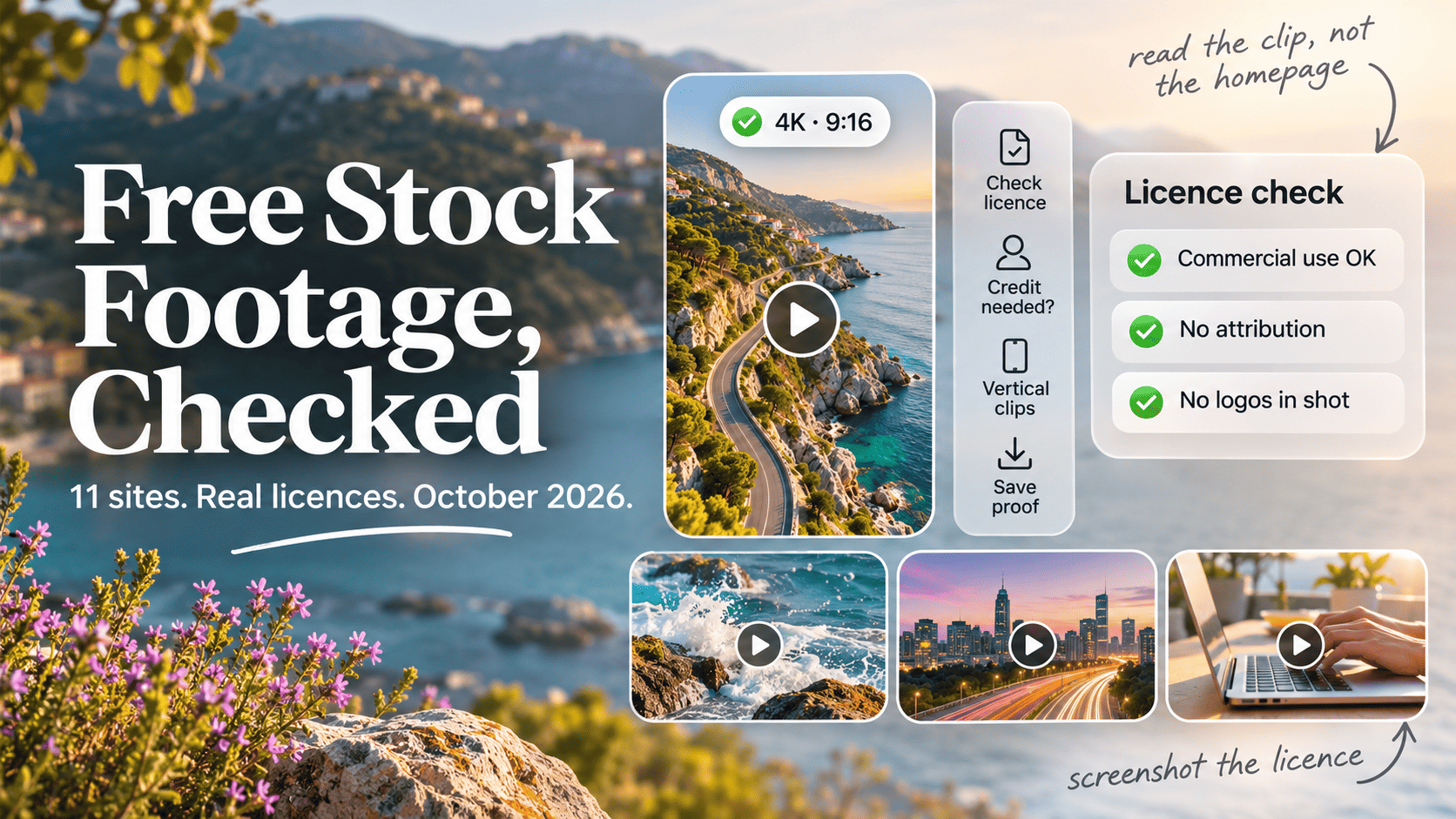
- For commercial work with no credit line, start with Pexels, Pixabay, Mixkit and Coverr. All four had no-attribution licences when we checked in October 2026.
- Videezy, Vecteezy, Magnific (formerly Freepik) and Dareful are free, but their free tiers require a credit. Vecteezy's free licence also caps video projects at a $1,000 budget.
- Videvo.net and Mazwai.com no longer exist as separate sites. Both now redirect to Magnific's video library, where free clips need attribution.
- Pixabay alone lists 240,000+ free video clips, and Pexels and Pixabay both offer clips at 3840x2160 (4K).
- Demand is high: 91% of businesses use video in their marketing, according to Wyzowl's 2026 survey.
- Before you publish, check the licence on the clip page, look for editorial-only or non-commercial flags, and remove any logos or recognisable people you have no release for.
Which free stock footage sites are worth using in 2026?
The best free stock footage sites in October 2026 are Pexels, Pixabay, Mixkit and Coverr for clips you can use commercially without a credit, plus Videezy, Vecteezy, Magnific and Dareful if you’re happy to add attribution. For historical or space footage, the Prelinger Archives, NASA and Wikimedia Commons are the strongest public domain sources.
Many “best free stock video” lists haven’t been rechecked in years. One of the top-ranking articles we read still describes Pexels as CC0, a licence Pexels replaced years ago. Others recommend Videvo and Mazwai as standalone sites, though both domains now redirect to another company. So for this guide we opened every site, read every licence page, and noted what had changed. Where we couldn’t confirm something, we’ve said so.
Free footage matters because video is now the default format. In Wyzowl’s 2026 survey, 91% of businesses said they use video as a marketing tool and 69% had made social media videos. Short vertical video is the biggest growth area: YouTube CEO Neal Mohan said in June 2025 that Shorts averages 200 billion daily views (TheWrap). Most of that content needs B-roll, and few small teams can shoot it all themselves.
Free stock footage sites compared
Here’s how the 11 live sites we’d recommend compare, as checked in October 2026. “Vertical” means the site has a way to find 9:16 clips, through a filter or a dedicated category.
| Site | Licence | Credit needed? | 4K | Vertical 9:16 | Commercial | The catch |
|---|---|---|---|---|---|---|
| Pexels | Pexels licence | No | Yes | Orientation filter | Yes | No reselling unaltered clips |
| Pixabay | Pixabay Content Licence | No | Many clips | Search only | Yes | Logos and merch restricted |
| Mixkit | Free or Restricted | No | Yes | Vertical category | Free licence only | Restricted clips are non-commercial |
| Coverr | Coverr licence | No | Some | Limited | Yes | No AI training use |
| Videezy | Standard (free) | Yes | Yes | Search only | Yes, with credit | Some clips editorial only |
| Vecteezy | Free licence | Yes | Yes | Aspect ratio filter | Limited | $1,000 video budget cap |
| Magnific | Free licence | Yes | Yes | 9:16 filter | Yes, with credit | Credit on every use |
| Dareful | CC BY 4.0 |
Yes | Yes | No | Yes, with credit | Small library, slow updates |
| Prelinger Archives | Public domain | No | No | No | Yes | Vintage, low resolution |
| NASA | US government work | Credit asked | Some | No | Yes, no endorsement | Logos and people restricted |
| Wikimedia Commons | Varies per file | Usually | Some | No | Usually | Share-alike, WebM files |
The biggest practical difference is the credit column. If you can’t put a credit line in your video or its description, such as a 15-second paid ad or a client deliverable, stick to the first four sites or the public domain archives.
Rule of thumb: Read the licence on the clip’s own download page, not the site’s homepage. Videezy, Mixkit and Wikimedia Commons all mix more than one licence in the same library.
The no-attribution sites
Four sites let you use clips commercially without a credit: Pexels, Pixabay, Mixkit and Coverr. Each has a short list of things you can’t do, and those restrictions are where people get caught.
Pexels
Pexels is the safest first stop for general B-roll. The Pexels licence says all its photos and videos are free to use, attribution is not required, and you can modify them. You can’t sell unaltered copies, redistribute clips on other stock or wallpaper platforms, imply that people in a clip endorse your product, or use footage as part of a trademark or business name.
Pexels is owned by Canva, and its library holds more than 3.2 million photos and videos combined (Wikipedia). Its search supports orientation and size filters for videos (Pexels Help), and the Pexels API documentation defines the largest size as 4K, the medium as Full HD and the small as HD. That makes it the quickest place to pull vertical 4K clips.
Pixabay
Pixabay has the biggest free video count we could confirm: its video section says it hosts over 240,000 free clips. The Content Licence summary lets you use, modify and adapt content for free without attribution. You can’t sell clips on a standalone basis, use recognisable trademarks commercially or print them on merchandise, or use content featuring recognisable people in an immoral or misleading way.
Pixabay updated its Terms of Service on 20 October 2026. The terms define “standalone” as content where no creative effort has been applied, so filtering, recolouring, resizing or cropping a clip still counts as standalone. They also ban scraping for machine learning. The Pixabay API returns a large version that is usually 3840x2160 when one exists, so not every clip has a 4K file.
Mixkit
Mixkit is run by Envato (Mixkit), needs no sign-up, and adds no watermark. It has two video licences on its licence page: the Free licence covers commercial use such as YouTube videos, social media marketing, online ads and music videos, while the Restricted licence is for personal, non-commercial use only. Neither asks for attribution on the free side.
Its library is smaller and more hand-picked than Pexels or Pixabay, with a 4K filter and a dedicated vertical category that listed 738 free vertical clips when we checked.
Common mistake: Grabbing a Mixkit clip for a client ad without checking which licence it carries. Restricted clips sit in the same search results, and they rule out business use.
Coverr
Coverr gives you filmmaker-style clips that are free for commercial and non-commercial use with no credit and no sign-up. Its licence has two restrictions most competitors don’t: you can’t use the videos to train AI models or as part of a dataset, and you can’t use them to build a similar or competing service. Coverr also says plainly that it holds no releases for brands, trademarks, landmarks or identifiable properties.
The licence page says 4K versions are free when offered, while the pricing page lists “4K footage” as a feature of its paid plans, which start at $4.20 a month billed annually at the time of writing. In practice, expect some 4K files to sit behind the upgrade. Coverr has also added AI video generation, with 1,000 free credits on sign-up.
Free tiers that need a credit
Videezy, Vecteezy, Magnific and Dareful all offer free footage, but every free download needs attribution. Two of them also put limits on how you can use it.
Videezy
Videezy’s free “Standard” clips can be used for personal, educational, editorial and commercial projects with attribution, according to its Pro membership page. If you can’t give credit, you need a Pro licence bought with credits: $19 for one, $39 for five, or a 10-credit pack on sale for $49 at the time of writing.
The library has real depth in 4K: a search for “4k” returned 6,806 clips. Its licence filter lists Standard, Pro, Creative Commons and Editorial Use Only, so filter out editorial clips before you search for anything commercial.
Vecteezy
Vecteezy has offered free videos since December 2020 under the same licence as its free photos and vectors (Vecteezy). Its licensing agreement sets out the tightest limits of the free sites we checked:
- Attribution is required, and if you can’t provide it you must upgrade to Pro.
- Free content can be used in video, film or production projects with budgets up to $1,000. Pro raises that to $10,000.
- Free content can’t go on products for resale.
The search does have a proper aspect ratio filter with a Vertical option, which is useful. For anything beyond a small project, though, the budget cap pushes you to Pro.
Magnific (formerly Freepik, now home to Videvo)
Freepik rebranded as Magnific on 28 April 2026 (Tech.eu). Magnific’s video library offers HD and 4K clips in MP4 and MOV, and around 50,000 of them are free. Free users must credit Magnific on every resource (Magnific licences); for video, that credit can go in the end credits or the description. Premium subscribers don’t need to credit.
It’s one of the few free sources with a dedicated 9:16 orientation filter, added in 2023 (Magnific).
Dareful
Dareful is a small library of 4K and HD nature, travel and aerial clips under CC BY 4.0. That licence lets you use footage commercially, as long as you credit the creator, link to the licence and note any changes. The site listed 242 videos when we checked, and the newest thumbnails we saw dated from mid-2024, so treat it as a quality archive rather than a growing library.
Public domain archives
Public domain archives give you footage with no licence conditions in most cases, but you trade resolution and freshness for that freedom. Use them for historical footage and space content.
Prelinger Archives on the Internet Archive is the classic source of vintage film, from old ads and classroom films to home movies. The collection held 10,468 items on the Internet Archive when we checked. Rick Prelinger founded the archive in 1982, and the Library of Congress acquired his film holdings in 2002 (Wikipedia). The items we sampled carried a public domain mark, though not every record shows a rights field, so read each one.
NASA footage is generally not subject to copyright in the United States, according to NASA’s media guidelines. The same guidelines say NASA won’t appear to endorse a commercial product, its insignia and logotype aren’t public domain, and commercial use of identifiable people, including astronauts, may need permission.
Wikimedia Commons holds over 50.7 million freely usable media files, video included. Licences vary per file between public domain, CC BY and CC BY-SA. Video comes as WebM or Ogg Theora only (Commons file types), so convert before you edit.
Watch out: “Public domain in the US” isn’t the same as public domain everywhere. NASA’s statement is about US copyright. For commercial work in Australia or elsewhere, prefer clips with no logos or identifiable people, and keep the source URL.
Sites that closed, moved or changed terms
Several sites that still appear on popular lists have redirected, pivoted or stopped updating since those lists were written. This was their status in October 2026.
| Site | Status in October 2026 | What to use instead |
|---|---|---|
| Videvo | videvo.net redirects to Magnific videos |
Magnific (credit needed) |
| Mazwai | mazwai.com redirects to Magnific videos |
Dareful, Coverr |
| Freepik | Rebranded as Magnific, April 2026 | Same library, new name |
| Clipstill | Pivoted to a UGC ad swipe library; free cinemagraphs only in a menu | Mixkit, Coverr loops |
| ISO Republic | Live, CC0, HD only; video page last modified January 2022 |
Pexels |
| Vidsplay | Live; newest clips we saw dated 2024 | Pexels, Pixabay |
| Life of Vids | Couldn’t verify: the site blocked our checks | Pexels |
| Pixabay | Terms updated 20 October 2026 | Re-read before bulk use |
The Videvo change is the one most likely to affect existing projects. Freepik bought Videvo in 2022, when Videvo had more than 650,000 active users (Keystone Law). The old Videvo had three licence types, including one with no attribution. Under Magnific, free clips need a credit. If you used Videvo clips in the past, keep your original download record, because the old clip pages no longer exist.
Several older lists also describe Dareful as “formerly Mazwai”. We found no evidence for that: Mazwai’s domain redirects to Magnific, while Dareful runs as its own site.
Worth knowing: A licence is a snapshot. Screenshot the licence page and the clip page on the day you download, and save them with the file. If a site changes terms or disappears, that record shows what you agreed to.
Which free stock footage site is best for you?
The right site depends on whether you can give credit, what format you need, and how commercial the use is. Use this table to pick your first stop.
| You need | Start with | Why |
|---|---|---|
| Ads or client work, no credit line | Pexels, Coverr | Commercial use, no attribution |
| Largest free library | Pixabay | 240,000+ free clips |
| Vertical 9:16 for Reels and Shorts | Pexels, Mixkit, Magnific | Orientation filter or vertical category |
| Native 4K for cropping | Pexels, Videezy | 4K size filter, deep 4K catalogue |
| Polished, consistent B-roll | Mixkit, Coverr | Smaller, hand-picked libraries |
| Nature and aerial | Dareful, Pixabay | Strong scenic collections |
| Vintage or retro footage | Prelinger Archives | Public domain films from the 20th century |
| Space and science | NASA | US government footage |
| Educational or Wikipedia-style projects | Wikimedia Commons | Free licences, rich metadata |
| AI training dataset | Public domain archives | Coverr and Pixabay terms prohibit it |
If you work across formats, our free stock directory lists video sites alongside free music and sound effects, which you’ll usually need for the same edit.
How to find vertical 9:16 clips
Pexels, Mixkit, Vecteezy and Magnific let you filter for vertical footage directly. On other sites, the fastest method is to download a 4K horizontal clip and crop a 9:16 frame from it.
A 3840x2160 clip gives you a vertical crop of roughly 1215x2160, which is more than the 1080x1920 most platforms expect. A 1920x1080 clip only gives you about 607x1080, which looks soft on a phone. So for vertical edits, download the 4K file when you have the choice.
Keyword searches for “vertical” aren’t reliable. On Videezy, a “vertical” search returned 1,859 matches, and several were titled “Horizontal”. Check the dimensions on the download page before you commit. For more on cutting clips for short-form, see our guide to free clips for Reels and TikTok edits. If you’re stuck with an HD-only clip, one of the free AI upscalers can help, though they work best on simple scenes.
How to check a footage licence in two minutes
Check the clip, not just the site. Licences vary within the same library, and most problems come from a clip that carries a different licence from the site’s headline one.
| Step | What to check | Red flag |
|---|---|---|
| 1 | Licence name on the clip’s download page | “Editorial use only”, “Restricted”, “Non-commercial” |
| 2 | Attribution requirement | “Attribution required” with no room for a credit |
| 3 | Budget or audience caps | Vecteezy’s $1,000 project cap on free clips |
| 4 | Recognisable people | No model release for an ad or endorsement |
| 5 | Logos, brands, landmarks | Visible branding in a commercial clip |
| 6 | AI and dataset use | Coverr and Pixabay terms prohibit it |
| 7 | Your record | Save the clip URL, licence screenshot and date |
For the difference between licence types such as CC0, CC BY and custom stock licences, see our explainer on free stock licences. The same principles apply to video.
Quick check: If a clip shows a person’s face, a brand or a famous building, and you’re using it to sell something, assume you need a release unless the site says it has one. Free sites almost never do.
People, logos and releases
Free footage licences cover the copyright in the clip. They don’t cover the rights of the people, brands or property shown in it, and that gap is where commercial risk sits.
Coverr says it holds no releases for brands, trademarks or identifiable properties. Pexels forbids implying that people in its videos endorse your product, and Pixabay restricts commercial use of recognisable trademarks and bans misleading use of content with recognisable people. NASA warns that its astronauts and staff can’t appear in commercial promotions.
For ads and branded content, the lowest-risk clips show people without visible faces (hands, silhouettes, distant crowds, people from behind), places with logos, shop signs and car badges blurred or cropped out, or subjects like nature and abstract textures that carry no rights beyond the clip itself.
For anything that implies “this is our customer” or “this is our team”, shoot your own footage. A recent phone in good light handles most B-roll.
This list is maintained by Saijo George, who has run AllTheFreeStock since 2015 and works as an AI SEO consultant in Melbourne. We’ll update the tables when sites change terms, and the date at the top of this post shows when we last checked.
Questions you may have
Is footage from Pexels really free for commercial use?
Yes. The Pexels licence lets you use its videos in ads, client work, YouTube and social posts without paying or crediting anyone. The limits are about misuse: you can't sell unaltered copies, resell clips on another stock platform, use them in a trademark, or show identifiable people in a bad light. Pexels has used its own licence rather than CC0 for some years, so older articles describing it as CC0 are out of date.
Can I use free stock footage in a monetised YouTube video?
Usually yes. Pexels, Pixabay and Coverr licences all allow commercial use, and Mixkit's Free licence names YouTube videos as an allowed use. The catch is Mixkit's separate Restricted licence, which covers non-commercial use only, so check which one sits on each clip. Content ID claims can still happen when another uploader has used the same clip, so keep the download page URL as proof.
Do I need to credit Videezy if I use a free clip?
Yes, for its Standard free clips. Videezy's Pro page describes Standard content as free for personal, educational, editorial and commercial use "with attribution". If you can't add a credit, you need a Pro licence, bought with credits. At the time of writing one credit costs $19, and a 10-credit pack was on sale for $49.
Where do Videvo's clips live now?
On Magnific. Freepik bought Videvo in 2022 (Keystone Law) and rebranded itself as Magnific in April 2026. In October 2026, videvo.net returned a redirect to Magnific's video library. Free clips there require attribution, and Premium subscribers can skip it. If you downloaded Videvo clips years ago, keep your original licence record, because the old download pages are gone.
Is NASA video footage public domain in Australia?
NASA's own media guidelines say its material is generally not subject to copyright in the United States, which is the statement most people rely on. It doesn't cover third-party footage marked with another copyright holder, NASA's logos, or the publicity rights of astronauts and staff. Outside the US, the position is less settled, so for Australian commercial work, use clips without logos or identifiable people and keep the NASA source link.
Can I use Wikimedia Commons videos in a commercial project?
Often, but check each file. Commons only accepts freely licensed or public domain media, so most files allow commercial reuse, yet many are CC BY-SA, which requires credit and asks that adaptations carry the same licence. That share-alike condition can be awkward for client work. Files also come as WebM or Ogg Theora (Commons file types), so you may need to convert them before editing.
Can I use free stock footage to train an AI model?
Not from every site. Coverr's licence says its videos must not be used to train AI algorithms or build datasets, and Pixabay's terms, updated 20 October 2026, prohibit scraping for machine learning. If you're building a dataset, use public domain archives or get written permission, and read the full terms rather than the licence summary.
What resolution should I download for social media?
Full HD (1920x1080, or 1080x1920 vertical) is enough for most feeds and Stories. Download 4K only when you plan to crop, reframe a horizontal clip into 9:16, or stabilise. Pixabay's API documentation shows its large version is usually 3840x2160 and its medium version 1920x1080, so a 4K source gives you room to cut a vertical frame without dropping below 1080 wide.
Are free stock videos safe to use in paid ads?
Mostly, with two caveats. Free sites rarely hold model or property releases, and Coverr says so directly, so a recognisable person or building in a paid ad is a risk you carry. Brand logos in shot are also excluded by most licences. Pick clips without faces or with people seen from behind, and blur any logos before the ad goes live.
Sources
- Pexels: Licencepexels.com
- Pixabay: Content Licence summarypixabay.com
- Mixkit: Licencesmixkit.co
- Coverr: Licencecoverr.co
- Wyzowl (2026): Video Marketing Statistics 2026wyzowl.com
- Videezy: Pro and Premium membershipvideezy.com
- Keystone Law (2022): Founder of Videvo advised on sale to Freepik Companykeystonelaw.com
- Magnific: Free and premium stock videosmagnific.com
- NASA: Images and media usage guidelinesnasa.gov
- Wikimedia Commons: Accepted file typescommons.wikimedia.org
- Pixabay: Terms of Service (updated October 2026)pixabay.com
- Pixabay: API documentationpixabay.com
- TheWrap (2025): YouTube Shorts now averages 200 billion daily viewsthewrap.com
- Pexels: Free stock videospexels.com
- Pixabay: Free stock videospixabay.com
- Mixkit: Free stock videomixkit.co
- Coverr: Free stock videoscoverr.co
- Videezy: Free stock footagevideezy.com
- Vecteezy: Free videosvecteezy.com
- Dareful: Free 4K stock videodareful.com
- Internet Archive: Prelinger Archives collectionarchive.org
- NASA Image and Video Libraryimages.nasa.gov
- Wikimedia Commons: Main pagecommons.wikimedia.org
- Wikipedia: Pexelsen.wikipedia.org
- Pexels Help: Search filters for photos and videoshelp.pexels.com
- Mixkit: Official information (owned by Envato)mixkit.co
- Coverr: Pricingcoverr.co
- Vecteezy: Licensing agreementvecteezy.com
- Vecteezy (2020): Free videos now availablevecteezy.com
- Tech.eu (2026): Freepik rebrands as Magnifictech.eu
- Magnific: Licences and attributionmagnific.com
- Magnific (2023): New orientation and format filters for videomagnific.com
- Creative Commons: Attribution 4.0 International (CC BY 4.0)creativecommons.org
- Wikipedia: Prelinger Archivesen.wikipedia.org
- Clipstillclipstill.com
- ISO Republic: Free videosisorepublic.com
- Vidsplayvidsplay.com
- Mixkit: Free vertical stock videosmixkit.co
- Pexels: API documentationpexels.com