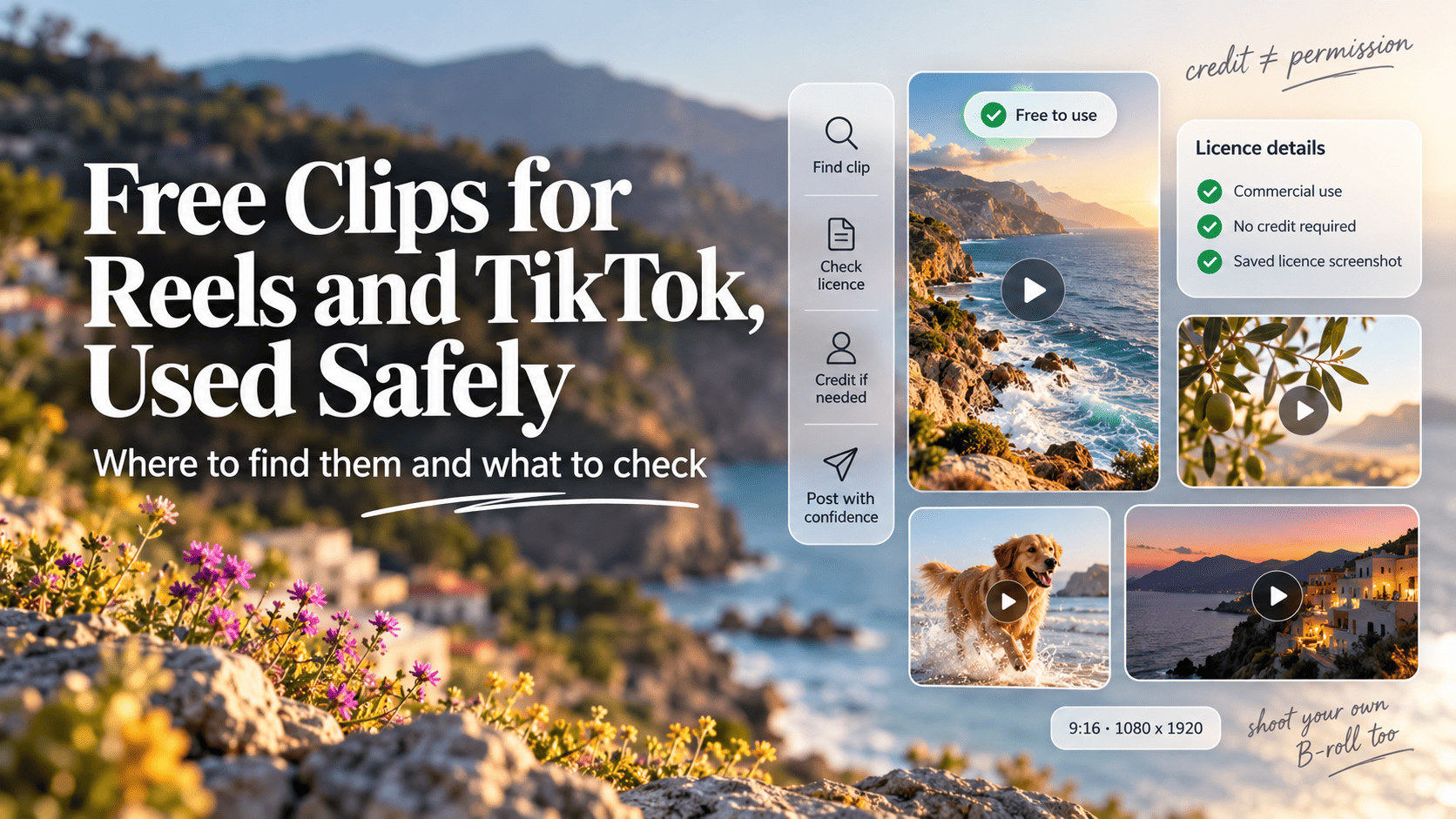
- Fan edits, movie scenes and meme clips shared as "free" almost never come with a licence. Free stock video libraries (Pexels, Pixabay, Mixkit, Videvo's free tier) and public domain archives like NASA are where genuinely free clips live.
- Copyright matching is automated and huge: YouTube processed about 2.5 billion Content ID claims in 2025, and roughly 99% of its copyright claims go through that system without a human reviewing them (YouTube Transparency Report, via TorrentFreak, 2026).
- Crediting the creator is not permission. Instagram says adding a watermark, border, subtitles or a caption credit does not make reposted content original, and its IP rules still require you to get permission.
- Recycled clips also lose reach. Since April 2026, Instagram keeps accounts that mainly post unoriginal content out of recommendations until most of their posts over a rolling 30 days are original.
- For music, business accounts should stick to cleared libraries: TikTok's Commercial Music Library has 600,000+ pre-cleared tracks, while its General Music Library is not cleared for commercial content.
- Download only from the source site. In April 2026 researchers found a dozen fake TikTok downloader extensions on Chrome and Edge with more than 130,000 users.
Why most “free clips” aren’t free
A clip is only free to use if the person who owns it has said so in a licence you can point to. Most of what gets passed around as “free clips for edits” (movie scenes, anime cuts, viral moments, other creators’ Reels saved off the app) has no such licence. It’s free to download, which is a different thing.
That distinction matters on short-form platforms because the platforms check. Matching systems scan uploads against reference files supplied by rights holders, at a scale no human team could manage. YouTube’s own figures, reported by TorrentFreak in 2026, show about 2.5 billion Content ID claims processed in 2025, up roughly 14% on 2024. Around 99% of YouTube’s copyright claims go through Content ID, without a person looking at them first.
What counts as a genuinely free clip
A clip is safe to build on when it falls into one of these buckets:
- Public domain: copyright has expired or never applied, as with most US federal government footage.
- Free stock licence: the site keeps copyright but grants broad use, usually including commercial, with a few restrictions.
- Attribution licence: free to use if you credit the creator in the required way.
- Your own footage: you shot it, and nobody else appears in a way that needs a release.
- In-app libraries: clips, templates and sounds the platform or editor licenses for use inside its own app, often with commercial limits.
If a clip doesn’t fit one of those, assume it’s copyrighted and that you have no permission. The licence types themselves work the same way for video as for photos; our guide to free stock photo licences and legal risk walks through each one in more detail.
Where fair use fits
Fair use (US) and fair dealing (Australia, UK, Canada) can protect some uses of copyrighted footage, such as criticism, review or parody. They’re arguments you make after a claim, weighed case by case by courts. A platform’s matching system doesn’t weigh them at all, so a plan that depends on fair use is a plan to dispute.
Rule of thumb: If you can’t name the licence and link to the page it’s on, treat the clip as unlicensed until you can.
Types of clips and where each one is safe to get
Each kind of clip has a safe source and a risky one, and creators often mix them up. Stock B-roll is easy to source legally. Meme and reaction clips mostly are not.
| Clip type | Safe source | Risky source | Notes |
|---|---|---|---|
| B-roll and stock footage | Pexels, Pixabay, Mixkit, Videvo free tier | Reuploads on video sites | Check people and logos in frame |
| Space, nature, science | NASA, public domain archives | Documentary rips | NASA logos are protected |
| Memes and reactions | Remix, Duet, Stitch, in-app sharing | Downloaded viral clips | Use platform tools that keep attribution |
| Film, TV and anime scenes | Licensed clip services (paid) | Fan edit packs, “scene packs” | Studio footage is heavily matched |
| Transitions and overlays | Editor libraries, free stock motion graphics | Template packs of unknown origin | Check commercial labels |
| Music and sound effects | TikTok Commercial Music Library, free SFX libraries | Ripped tracks, trending sounds for brands | Music is matched most aggressively |
Stock footage and B-roll
This is where most genuinely free clips live, and it’s what our free stock directory is built around. The licences are short and readable. At the time of writing (October 2026):
- Pexels: the Pexels licence lets you use and modify photos and videos for free, with credit “not necessary but always appreciated”. You can’t sell unaltered copies, redistribute clips on other stock or wallpaper platforms, imply endorsement by people or brands in the footage, or use clips as part of a trademark.
- Pixabay: the Pixabay content licence summary allows free use and modification without attribution. You can’t sell or distribute content on a standalone basis, and content showing recognisable trademarks or brands can’t be used commercially in relation to goods and services.
- Mixkit: Mixkit runs several licences, one per item type. Its free licence allows commercial use, including social media marketing and ads, with no attribution, while its restricted licence is personal and non-commercial only. Check which one is attached to the clip you’re downloading.
- Videvo: Videvo mixes licence types on the same site. According to its licence guide, royalty-free clips need no credit, Videvo Attribution and CC BY clips need a credit to the author, and anything labelled “Editorial Use Only” can’t be used commercially at all.
- Coverr: worth a look for lifestyle and tech B-roll. Its licence allows free commercial use without credit, but bans reselling clips, building a competing service or using them to train AI, and doesn’t clear brands or people shown.
Public domain archives
US federal agencies are a strong source of space and science footage. NASA’s media usage guidelines say its images, audio and video “generally are not subject to copyright in the United States”. The catches: commercial use must not imply NASA endorses you, the NASA insignia and logotype are protected, current astronauts and employees can’t appear in ads, and some NASA-hosted material is third-party content marked with its owner’s name.
The Internet Archive also holds a lot of public domain film, including educational and industrial films in the Prelinger Archives. It isn’t all public domain, though, so check each item’s rights statement before you use it.
Memes and reaction clips
This is the riskiest category, and the one people most often assume is free. A viral clip belongs to whoever filmed it, or to the studio or broadcaster it came from. The safe way to react to someone else’s video is through the platform’s own tools: Remix on Instagram, Duet or Stitch on TikTok. These keep the original creator attached and run under the platform’s terms. Download-and-repost doesn’t.
In-app editor libraries
Editors like CapCut ship with clips, templates and music. CapCut’s legal page says only templates and materials “expressly labeled ‘Commercial Use’” can be used for purposes like brand promotion. A trending template without that label is fine for a personal edit and a problem in a client’s campaign.
Watch out: Templates often bundle a popular song. The template may be labelled for commercial use while the music inside it isn’t cleared. Swap the audio for a cleared track before client work goes out.
Music: the part that gets flagged first
Audio is the part of an edit most likely to trigger a claim. Use a library that’s cleared for the account type you’re posting from, and treat trending sounds as personal-account territory.
| Account and use | Safe music choice | Avoid |
|---|---|---|
| Personal TikTok, non-commercial edit | General Music Library inside the app | Uploading ripped tracks |
| TikTok business or brand content | Commercial Music Library | General library trending sounds |
| Instagram personal or creator Reel | In-app music, within its limits | Full tracks added in an outside editor |
| Instagram ads or boosted Reels | Tracks cleared for ads, or a direct licence | Assuming in-app music covers paid use |
| Anything you export and reuse elsewhere | Royalty-free tracks with a written licence | Platform music carried across apps |
TikTok spells this out on its Commercial Music Library page: the library has more than 600,000 tracks “pre-cleared for royalty-free use in branded content and ads”, while songs in the General Music Library “are not pre-cleared for commercial content”. It also warns that using the general library from a personal account to promote a business puts you at risk of infringement.
Instagram works on the same principle. Music inside Reels is licensed for use in the app, availability differs by account type and region, and that licence doesn’t automatically cover ads, boosted posts or the track exported elsewhere.
How platforms detect and handle copyrighted clips
Each major platform runs automated matching against rights holders’ reference files, plus a reporting route for everyone else.
| Platform | Matching system | What usually happens | Your options |
|---|---|---|---|
| YouTube Shorts | Content ID | Claim, often monetised by the rights holder | Dispute with licence evidence |
| Instagram and Facebook | Rights Manager | Rights holder decides how to handle the match | Dispute or appeal in-app |
| TikTok | Automated detection plus notices | Muted audio or video removed | Appeal or counter-notification |
YouTube Content ID
Most Content ID claims don’t take videos down. Rights holders chose to monetise more than 90% of claims in 2025, which means the ad revenue from your video goes to them. Only about 0.51% of claims were disputed, but uploaders who did dispute won 67.42% of the time, according to the same TorrentFreak analysis of YouTube’s copyright transparency report.
Shorts have a sharper edge. YouTube’s help page on three-minute Shorts says any Short over one minute with an active copyright claim of any type is “blocked globally on YouTube”. It won’t be viewable or recommended until the claim is resolved, although the channel isn’t penalised.
Meta Rights Manager
Rights holders upload reference files to Rights Manager, and Meta finds matching content on Facebook and Instagram. The owner decides what happens to a match, and you’ll see it as a notice on the post, which is where you dispute if you hold a licence.
TikTok
TikTok’s copyright policy says infringing content may be removed, and that accounts can be suspended or terminated for repeated copyright violations. If you think a removal is wrong, you can file a counter-notification. TikTok forwards it in full to the person who reported you, including any contact details you put in it, so only file one when you’re confident and have your licence evidence ready.
Worth knowing: A claim on a clip you genuinely licensed is usually a matching error, often because someone else registered the same stock clip or a track that samples it. Your dated licence screenshot is what resolves it.
Crediting is not permission
Putting “credit: @creator” in a caption doesn’t give you the right to use their clip. A licence may require credit, but credit on its own never stands in for a licence.
Instagram says this directly in its April 2026 originality update: adding “a border, watermark, subtitles, or a credit in the captions” does not make content original. It also says its originality policy is separate from its intellectual property policies, and that “you are responsible for obtaining any necessary permissions before using someone else’s work.”
When credit is actually required
| Licence | Credit needed? | Where to put it |
|---|---|---|
| Pexels, Pixabay | No (appreciated) | Optional caption credit |
| Mixkit free licence | No | Optional |
| Videvo Attribution | Yes, to the author | Caption plus on-screen line |
| CC BY | Yes, in the form specified | Visible to viewers of the work |
| NASA and US government | Requested | “Credit: NASA” in caption |
| Permission by email | Whatever you agreed | As agreed, in writing |
A credit format that works on short-form
Captions are the practical place for credits on TikTok and Reels, because on-screen text competes with the edit itself. A simple format:
Clips: Pexels (@creatorname), NASA. Music: [track] via TikTok Commercial Music Library.
Where a licence requires credit “in the production”, also add a small text line in the last second or two of the video. That covers you if the video gets downloaded and reposted without its caption.
When you need to ask
If you want to use another creator’s video, ask and get the answer in writing: a DM or email naming the clip, where you’ll post it and whether it’s commercial. Screenshot it and file it with the clip.
Why recycled clips get suppressed, and how to make edits original
Platforms now reduce the reach of reposted content even when nobody files a copyright claim, and the only durable fix is adding something of your own.
Meta has been the most explicit. In July 2025, Facebook announced that accounts repeatedly reusing others’ videos, photos or text without permission would lose access to monetisation for a period and see reduced distribution on everything they share. Where duplicates are detected, Facebook reduces the distribution of the copies. It said that “simply stitching together clips or adding your watermark does not qualify as meaningful enhancement”, advised creators to avoid “visible third party watermarks”, and reported taking down around 10 million profiles impersonating large content producers in the first half of 2025.
Instagram followed in April 2026, extending to photos and carousels a rule that already applied to Reels. Accounts that mainly post unoriginal content are left out of recommendations until most of their posts over a rolling 30 days are original. Instagram said 75% of its US recommendations now come from original posts. Followers still see these accounts’ posts; the cut is to reach among non-followers, and you can check your standing under Account Status in settings.
TikTok’s For You feed eligibility standards in its Community Guidelines also cover unoriginal, low-quality reuploads. Check the current wording there, as it’s revised often.
What makes an edit original
Instagram’s guidance gives a useful working definition: original content is “work that you wholly created or reflects your unique perspective”, and third-party material can count if your edits meaningfully add to it. In practice that means:
- Your own voice: voiceover, commentary or narration that adds information or a point of view.
- Real editing: a new structure, pacing and story built from several licensed clips, rather than one clip trimmed.
- Your own footage mixed in: a shot of your hands, product, face or location that only you could have.
- Context on screen: text that explains, teaches or argues something the source didn’t.
- Platform remix tools: Remix, Duet and Stitch, which credit the original automatically.
This applies to your own content too. A TikTok reposted to Reels with TikTok’s watermark burned in looks like content recycled from another app, so export a clean master from your editor and post that to each platform. Removing someone else’s watermark to pass their clip off as yours is what these policies exist to catch, and in some countries, including the US and Australia, removing rights management information can itself break copyright law.
Quick check: Before posting, ask what a viewer gets from your version that they wouldn’t get from the source clip. If the honest answer is “nothing”, the platforms will probably reach the same conclusion.
Downloading clips safely
Download from the original stock site or archive, and nowhere else. Third-party “downloader” sites and extensions that promise to save TikTok or Instagram videos are a known malware route.
In April 2026, LayerX Security identified more than a dozen fake TikTok video downloader extensions on Chrome and Edge, used by over 130,000 people, which collected browsing and device data for tracking. In June 2026, ReversingLabs reported campaigns on TikTok and Instagram Reels that pushed the Vidar infostealer through “free software” tutorial videos, one of which passed 100,000 views.
Downloaders also have a legal problem: saving another creator’s video gives you no right to reuse it.
Safer habits:
- Use the source site’s own download button. Pexels, Pixabay, Mixkit and NASA all offer direct downloads.
- Expect video files. A clip should arrive as an MP4 or MOV, never as an .exe or a “codec” you’re asked to install.
- Check the licence on the clip page itself. Reupload sites copy clips without their terms.
- Ask the creator for the file once you have permission. The original beats a screen recording anyway.
Common mistake: Searching “[clip name] free download” and taking the first result. Those results are crowded with reupload and ad-heavy sites. Search inside the stock library instead, or start from our list of free stock video sites we’ve reviewed.
Formats, aspect ratio and export settings
Reels, TikTok and Shorts are all built around a vertical 9:16 frame, and 1080 x 1920 pixels is the standard full-screen resolution most editors export at. Most free stock footage is shot horizontally, so plan for reframing.
| Source clip | Reframe for 9:16 by | Watch for |
|---|---|---|
| 16:9 HD (1920 x 1080) | Cropping to a vertical slice, or stacking | Soft image after cropping |
| 16:9 4K (3840 x 2160) | Cropping a vertical slice | Best option for reframing |
| Native vertical stock | Using as is | Limited choice in some libraries |
| Square (1:1) | Placing with text above and below | Captions overlapping the frame |
- Download the highest resolution offered when you’ll crop. A vertical slice from a 4K frame keeps more detail than one cut from HD.
- Keep text out of the edges. The bottom of the screen is covered by captions, usernames and buttons, and the right edge by like and share icons.
- Match frame rates. Mixing 25, 30 and 60 fps clips without conforming them causes stutter. Pick one timeline frame rate.
- Export one clean master per platform. H.264 MP4 at 1080 x 1920 is a widely accepted default; ad placements have their own specs, so check them before a paid campaign.
- Grade for consistency. Clips from different stock creators rarely match, and one shared colour adjustment makes a mixed edit feel like a single piece.
Build a clip library you can trust
Keep every clip with a short record of where it came from and what the licence allowed on the day you downloaded it. It takes a minute per clip and saves hunting for answers when a claim arrives months later. A folder structure that works for solo creators and small teams:
/clips/stock/for licensed stock, one subfolder per site/clips/own/for your own footage/clips/permission/for anything used with a creator’s written OK, with the screenshot in the same folder/music/split intocommercial-clearedandpersonal-only
Name files so search works without opening them: 2026-10_pexels_city-night-rain_4k_creatorname.mp4. Add mood tags (calm, moody, upbeat) if your asset manager supports them.
Next to each clip, or in one shared spreadsheet, record the clip page URL, the licence name with a dated screenshot, whether credit or commercial clearance applies, and any people or logos in frame.
Raw video is heavy, so keep active project clips on a fast local drive and the full library in synced cloud storage with a second backup elsewhere. Don’t count on a stock site still hosting a clip next year. Your copy and your dated licence record are what you’ll have to show.
Rule of thumb: If the licence screenshot isn’t in the folder, the clip isn’t ready to use.
When free sources fall short, make your own
When you can’t find the right clip, shooting it yourself is often faster than searching another library, and it’s the strongest originality signal you can send. A phone on a cheap tripod covers most B-roll: hands at work, product close-ups, screen recordings of your own software.
Cutting your own podcast or webinar into short clips works too, since you own it. Text animation and simple motion graphics need no footage at all. AI-generated video sidesteps model releases but raises ownership questions and depends on the tool’s commercial terms, so record the tool, prompt and date, and check whether the platform wants AI content labelled.
Provenance matters outside the platforms as well. In my work as an AI SEO consultant in Melbourne, the content that AI answer engines surface and cite tends to be content whose origin is clear. A clip library with clean records is easier to publish from and easier to defend.
Pre-publish checklist
Run every edit through this before it goes live. It takes two minutes and covers what actually leads to claims or lost reach.
| Check | Pass looks like |
|---|---|
| Every clip has a licence | Licence named and screenshot saved for each clip |
| Commercial use allowed | Confirmed for brand or client posts |
| Credits added where required | Caption credit, plus on-screen line if the licence asks |
| Music cleared for this account | Commercial library for business accounts |
| No identifiable people or logos without releases | Or the post is non-commercial |
| No other app’s watermark | Clean export from your editor |
| Original contribution | Voiceover, commentary, your footage or real editing |
| Correct format | 9:16, 1080 x 1920, text inside safe zones |
| Files from source sites only | No downloader tools or reupload sites |
| Evidence ready | Licence records saved in case of a claim |
Keeping your sources fresh
Licences and platform rules change more often than most creators check. Instagram’s originality rules changed in 2024 for Reels and again in April 2026, and Facebook’s in July 2025. Free stock sites update their terms too.
Recheck the licence page of any site you use regularly every few months, and reread platform guidance when a policy announcement lands. Before trusting a new clip source, look for a plain-language licence page, original uploads rather than scraped ones, and clear labels on editorial or restricted clips.
Questions you may have
Are free stock video clips safe to use in a client's paid ads?
Usually yes, if the licence says commercial use is allowed and you've checked the clip itself. Pexels and Pixabay both allow commercial use without credit, but neither supplies model or property releases, and Pixabay specifically bars commercial use of content showing recognisable trademarks in connection with goods and services. For ads, avoid clips with identifiable faces, logos or branded products unless the site provides a release. Save a dated screenshot of the licence page with the file, because terms can change after you download.
Do I need to put a credit on screen or is the caption enough?
It depends on the licence. Pexels, Pixabay and Mixkit's free licence don't require credit at all. Videvo's Attribution licence says you must credit the author in your production, and CC BY clips need a credit the viewer can actually see. For short-form video, a caption credit is the practical option, but if a licence asks for the credit in the work itself, add a small on-screen line in the final frames too. See our guide to free stock photo licences for how each licence type handles credit.
Can I use a trending TikTok sound in my brand's Reel?
Not safely. TikTok says songs in its General Music Library are not pre-cleared for commercial content and that using them to promote a business risks copyright infringement. Business accounts should use the Commercial Music Library, which TikTok says holds more than 600,000 tracks cleared for branded content and ads. On Instagram, music available in-app is not automatically cleared for ads or boosted posts, so check before you put spend behind a Reel.
Is everything on the Internet Archive public domain?
No. The Internet Archive hosts plenty of public domain film, including much of the Prelinger collection of ephemeral films, but it also hosts uploads where the rights are unclear or still held by someone. Check each item's licence or rights field, and if the item page doesn't state public domain or a Creative Commons licence, treat it as copyrighted. Music in old films can carry separate rights from the picture, so be cautious with soundtracks.
Can I use NASA footage in a commercial Reel?
Generally yes, with conditions. NASA says its images, audio and video are generally not subject to copyright in the United States, but commercial use must not imply NASA endorses your product, and the NASA insignia and logotype are protected by law. Current astronauts and employees can't appear in ads or promotional material. Some NASA-hosted material belongs to third parties and is marked with their name, and NASA's permission doesn't cover those. Its suggested credit is "Image credit: NASA".
What happens if my Short gets a Content ID claim?
Often nothing visible: rights holders choose to monetise more than 90% of Content ID claims, so the video stays up with revenue going to them. Shorts over one minute are different. YouTube says a Short longer than a minute with any active copyright claim is blocked globally until the claim is resolved, though the channel isn't penalised. If you have a licence, dispute the claim with your saved licence page; uploaders won about 67% of disputes in 2025.
Someone reposted my edit without credit. What can I do?
Report it through the platform's copyright form; TikTok, Instagram and Facebook all accept reports from the person who owns the work. If your edit includes licensed stock clips, you still own your edit, but the stock site owns the underlying footage, so your claim covers what you created. On Instagram, check your own Account Status as well: the April 2026 originality update is meant to push reposters out of recommendations and keep originals in.
Can I make fan edits with movie or TV clips at all?
You can make them, but you can't rely on them being free or staying up. Film and TV footage is copyrighted, and studios and distributors use matching systems like Content ID and Meta's Rights Manager to find it. Some uses may qualify as fair use in the US or fair dealing in Australia, such as criticism, review or parody, but those are legal defences decided case by case, not permissions. Expect claims, muting or removal, and never use fan edits for a brand or client.
Are CapCut templates and effects free for commercial use?
Only the ones labelled for it. CapCut's legal page says you can use templates and materials expressly labelled "Commercial Use" for things like social content and brand promotion, and that only labelled templates can be used for commercial purposes. Unlabelled templates, and the music bundled with many trending ones, are not covered. For client work, filter for the commercial label inside the app and swap any template audio for a track from a cleared library.
Sources
- TorrentFreak (2026): YouTube processed 2.5 billion Content ID claims in 2025torrentfreak.com
- Pexels: Licencepexels.com
- Pixabay: Content licence summarypixabay.com
- Mixkit: Licencemixkit.co
- Videvo Help: Licence types and usagehelp.videvo.net
- Coverr: Licencecoverr.co
- NASA: Images and media usage guidelinesnasa.gov
- Internet Archivearchive.org
- Internet Archive: Prelinger Archivesarchive.org
- CapCut: Legal and commercial usecapcut.com
- TikTok for Business: Commercial Music Libraryads.tiktok.com
- Google Transparency Report: YouTube copyrighttransparencyreport.google.com
- YouTube Help: Copyright claims on Shorts up to three minutessupport.google.com
- Meta (2020): Helping creators and publishers manage their intellectual property (Rights Manager)about.fb.com
- TikTok: Copyright policytiktok.com
- Instagram for Creators (2026): Rewarding original creators on Instagramcreators.instagram.com
- Facebook for Creators (2025): Combating unoriginal contentcreators.facebook.com
- Hackread (2026): Fake TikTok downloader extensions on Chrome and Edge spy on usershackread.com
- Help Net Security (2026): Vidar infostealer spread via TikTok and Instagram Reelshelpnetsecurity.com