
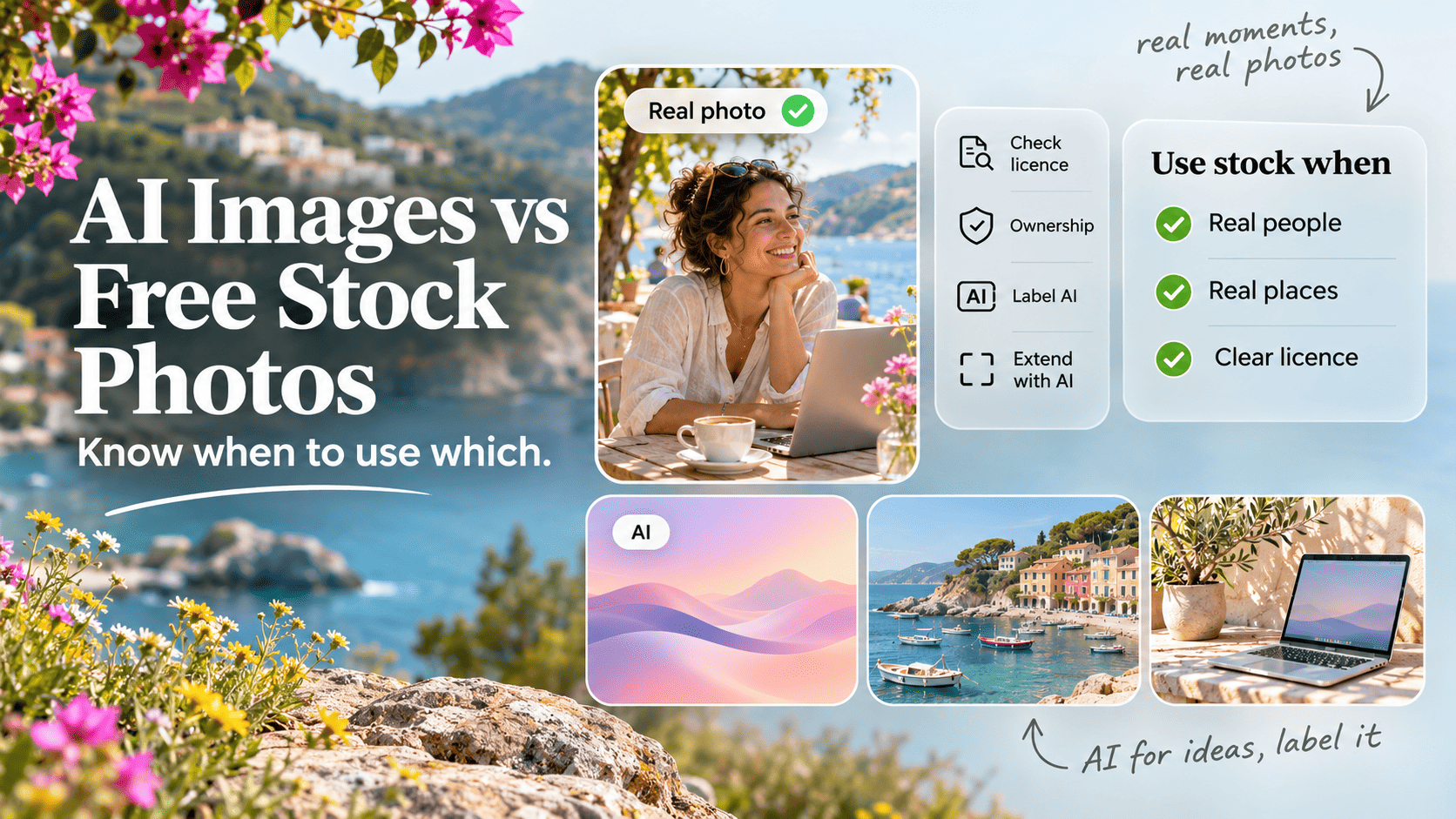
- Use free stock when the image has to be real (people, places, products, events) or when you need a licence you can point to. Use an AI generator when you need something specific that doesn't exist yet, such as a concept, an abstract background or a stylised illustration.
- Ownership is the biggest difference. Purely prompted AI images generally can't be copyrighted in the US, because the US Copyright Office says prompts alone aren't enough, so anyone can reuse them. A stock licence gives you defined rights from a named contributor.
- Audiences are cooler on AI imagery than marketers think. In the IAB's January 2026 study, 82% of ad executives believed young consumers felt positive about AI ads, but only 45% of those consumers did.
- Disclosure is spreading: EU AI Act Article 50 obligations became enforceable on 2 August 2026, and Google Merchant Center requires the IPTC
TrainedAlgorithmicMediatag on AI product images. - Both are free to start. Canva Free allows up to 20 standard AI uses a month and Bing Image Creator gives 15 fast creations a day (October 2026), while free stock libraries have no generation cap at all.
- The best results usually come from a hybrid: start with a real stock photo, extend or edit it with AI, keep the metadata, and label it.
The short answer
Use free stock photos when the image has to show something real or when you need a clear licence. Use an AI image generator when the picture you need doesn’t exist yet, such as a concept, a stylised illustration or a background in exact brand colours.
Most pages ranking for this question are published by companies that sell AI generators, and they conclude that you should generate everything. Few mention who owns the result, what audiences think of AI imagery, or the disclosure rules now taking effect. This guide covers those, with a decision table, a scenario table and a hybrid workflow you can use today.
One framing question settles most cases: does this image claim that something happened, or that someone exists? A team photo, a customer story, a product shot and a news image all make that claim, and they need real photography. A blog header about cash flow, a pattern behind a headline, or a fantasy scene for a campaign don’t, so a generator is fair game.
How do AI images and stock photos compare?
Stock wins on ownership clarity, realism and trust. AI wins on specificity and speed to an exact concept. Cost is close to a draw at the free tier.
| Factor | Free stock photos | AI image generators |
|---|---|---|
| Legal clarity | Licence from a named contributor | Tool terms, often no copyright in output |
| Exclusivity | Non-exclusive, others use the same photo | Not guaranteed unique either |
| Cost (free tier) | Free, no download cap on major sites | Free, but rate-limited daily or monthly |
| Speed | Fast if the image exists | Fast per image, slow to get it right |
| Specificity | Limited to what was shot | Very high: any scene, colour, style |
| Realism | Real by definition (on AI-free sites) | Convincing, with errors in hands, text |
| People and likeness | Real models, usually with releases | No releases, risk of resembling someone |
| Brand consistency | Hard to match across photographers | Easier with reference images and styles |
| Editorial and news use | Suitable when captioned accurately | Unsuitable for depicting real events |
| Audience trust | Higher, real imagery expected | Lower, many people want labels |
| Disclosure | None needed | Increasingly expected or required |
| SEO and AI search | No penalty, originality still helps | No penalty, must keep AI metadata on product images |
Who owns the image?
With stock, you get a licence from someone who owns the copyright. With a purely prompted AI image, there may be no copyright for anyone to own, which means you can use it but often can’t stop others copying it.
AI images and copyright
The US Copyright Office’s January 2025 report on copyrightability concluded that AI outputs can be protected only where a human author has determined sufficient expressive elements, and that “the mere provision of prompts” isn’t enough (US Copyright Office). Human selection, arrangement and modification of an output can still be protected. On 2 March 2026 the US Supreme Court declined to hear Thaler v. Perlmutter, leaving the human authorship requirement in place (Holland & Knight).
The tools’ own terms point the same way. OpenAI’s Terms of Use assign you its rights in output but warn that output “may not be unique across users”. In practice, a competitor can generate something very close to your hero image, and you may have nothing to enforce. We go deeper on this in Are AI images copyrighted?
In Australia, the law on AI output hasn’t been settled by a court yet. On training data, the federal government ruled out a text and data mining exception for AI training on 26 October 2025, and set up a reference group to consider licensing and whether to clarify how copyright applies to AI-generated material (Simpsons Solicitors).
Training data risk
The other legal question is how the model was trained. In the UK, Getty Images’ case against Stability AI ended in November 2025 with the High Court dismissing Getty’s remaining secondary copyright claims and upholding only “extremely limited” trademark findings (Cleary Gottlieb). That’s good news for generator users, though cases in other countries continue. If you want the lowest-risk option, Adobe says its Firefly models are trained on licensed content such as Adobe Stock and on public domain material, not scraped from the open web (Adobe).
Stock licences
Free stock licences are short and readable, and they come with specific limits. The Pexels licence bans selling unaltered copies, showing identifiable people in a bad light, and implying that people or brands in the image endorse your product. The Unsplash licence bars compiling its images into a competing service. Our guide to free stock photo licences compares the major ones.
Rule of thumb: If you need to stop other people using the image, neither free stock nor a raw AI output gives you that. Commission it, or add enough human design work that the final piece is clearly yours.
What does each option cost?
Both start free. Free stock has no generation cap, while every free AI tier is rate-limited and the limits change often. Here’s what each provider’s own pages said when we checked in October 2026.
| Generator | Free allowance (Oct 2026) | Notes |
|---|---|---|
| Adobe Firefly | “Free daily generations”, reset daily | Commercial use stated for Firefly models, partner models are your call |
| Canva AI | Up to 20 standard or premium AI uses a month | Resets on the 1st (UTC), Ultra tools not on Free |
| Bing Image Creator | 15 fast creations a day | Up to 200 prompts per 24 hours, visible watermark optional |
| Google Gemini | “Standard limits” (no number published) | Image generation available without a paid plan |
| ChatGPT | Rate-limited (no number published) | Commercial use allowed under OpenAI’s terms |
| Ideogram | Weekly slow credits for eligible accounts | Free images are public, private generation is a paid feature |
We couldn’t confirm a current free tier for Midjourney on its own pages, so it isn’t listed.
Two details are easy to miss. Gemini users can now turn off the visible watermark on images, but Google said in August 2026 that the invisible SynthID watermark and metadata remain (PCWorld). And Ideogram’s free images are public by default, so don’t generate client concepts there before launch.
Free stock has no equivalent cap. Unsplash, Pexels and the other libraries in our free stock directory let you download as many images as you like, and our list of free stock sites for commercial use with no watermark covers the safest picks for business use.
Watch out: Counting cost per image flatters AI. A usable marketing image often takes several generations plus cleanup, so a daily allowance of 15 goes less far than it sounds. Upscaling and background removal add more steps. Our round-up of free AI upscalers and background removers covers the free options.
Realism, people and likeness
Stock photos of people are real people who usually signed a model release. AI people have no release, and they can drift towards resembling someone real.
Generators are now good at photorealism, and they still slip on hands, small text, jewellery and how objects are held. Those errors matter most where people look closely: product pages, team pages and anything printed large.
People are the riskier case for a second reason. A generated face that happens to resemble a celebrity or a private person can create a likeness or misleading endorsement problem. The UK Advertising Standards Authority said in June 2026 that AI depictions of real people must not mislead consumers into thinking they endorse a product, and that its rules apply “regardless of how ads are created” (Lewis Silkin).
Common mistake: Using an AI-generated “customer” next to a real testimonial. Even if the quote is genuine, the picture implies a real person said it, which turns an honest review into a misleading one.
What do audiences think of AI imagery?
Audiences are more sceptical of AI images than marketers assume, especially when the images show people or products, and most want AI images labelled.
The strongest data points we found:
| Study | Sample | Finding |
|---|---|---|
| Getty Images VisualGPS, 2024 | 30,000+ adults, 25 countries | Almost 90% want to know if an image was made with AI, 98% say authentic images are central to trust |
| IAB and Sonata Insights, Jan 2026 | 505 US consumers aged 16 to 43, 104 ad executives | 82% of executives think these consumers feel positive about AI ads, 45% do |
| NielsenIQ, Dec 2024 | 2,000+ viewers, about 150 with EEG | AI ads called “annoying”, “boring” and “confusing”, weaker memory activation even when high quality |
| Washington State University, 2024 | 1,000+ US adults | Mentioning “artificial intelligence” lowered emotional trust and purchase intention |
| Storyblocks surveys, 2026 | 1,400+ professional content buyers | About half had rejected a stock asset for being AI, 74% to 94% want AI content labelled |
| University of Melbourne and KPMG, 2025 | Australian sample of a global study | 36% of Australians willing to trust AI, 78% concerned about negative outcomes such as misinformation |
Sources: Getty Images newsroom, IAB, NielsenIQ, WSU, Digital Camera World, University of Melbourne.
A few details sharpen the picture:
- The gap is widening. In the IAB study, the share of Gen Z consumers feeling negative about AI ads rose from 21% in 2024 to 39%, and 30% of Gen Z respondents described brands using AI ads as inauthentic, against 13% of Millennials.
- Subject matters. Getty’s full report says sentiment skews more negative towards brands using AI to create people or products, and is more positive for buildings, structures and landscapes.
- Disclosure isn’t fatal. In the IAB study, 73% of consumers said knowing an ad was AI-created would make them more likely to buy or make no difference, and clear disclosure ranked third among the things that drew their attention to an ad.
- Vendor interest. Getty and Storyblocks both sell human-made stock, so they have a stake in these results. The IAB, NielsenIQ and university studies don’t, and they point the same way.
Do you have to disclose AI images?
Sometimes, and the rules are tightening. The EU now requires machine-readable marking of AI output, Google and Meta read AI metadata, and Australia has voluntary guidance backed by consumer law.
| Rule or platform | What it requires | Applies to |
|---|---|---|
| EU AI Act, Article 50 | Providers mark output as AI in machine-readable form, deployers disclose deepfakes | Enforceable from 2 Aug 2026 |
| Google Merchant Center | AI images must carry IPTC TrainedAlgorithmicMedia, don’t strip it |
Product listings |
| Meta | Labels images with C2PA or IPTC AI signals, disclosure tool for photorealistic video and audio | Facebook, Instagram, Threads |
| Australian guidance | Voluntary labelling, watermarking and metadata | Businesses using AI content |
| Australian Consumer Law | Images and descriptions must not mislead | All advertising |
| UK ASA | Existing code applies to AI ads, no fake endorsements | UK ads |
Sources: Baker Botts, Google Merchant Center, Meta, Department of Industry, Science and Resources, ACCC.
The EU’s provider obligations have a grace period to 2 December 2026 for generative systems already on the market. For Australian businesses, the federal guidance published on 28 November 2025 recommends three mechanisms: visible labels, watermarks and metadata, noting labels are more credible when backed by the other two. The ACCC’s rule is that claims must be “true, accurate and based on reasonable grounds”, and it counts “images and descriptions of what is offered” among the things that must be accurate. An AI image that makes a meal look bigger or a room look newer can breach that, labelled or not.
Quick check: Before publishing an AI image, ask whether a customer would feel misled if they found out. If yes, change the image. If you’re unsure, label it.
Do AI images affect SEO and AI search?
Google doesn’t penalise images for being AI-generated, but it does read AI metadata, and original images serve both readers and search better than generic ones.
Google’s guidance on generative AI content focuses on whether content helps users. It warns that generating many pages “without adding value for users” may breach its scaled content abuse policy, and recommends adding image metadata so readers know how content was made. Google Images supports the IPTC Digital Source Type field, including trainedAlgorithmicMedia for generated images and compositeWithTrainedAlgorithmicMedia for inpainted or outpainted photos (Google Search Central). Its “About this image” panel can also show C2PA data revealing whether AI tools made or edited an image (Google).
Three practical points follow:
- Don’t strip metadata. Many image optimisers remove IPTC and C2PA fields to save bytes. For AI product images in Merchant Center, that breaks a requirement.
- Pick representative preview images. Google’s image guidelines advise using an image that’s “relevant and representative of the page” and avoiding generic ones.
- Originality earns attention. Nielsen Norman Group’s eyetracking research found readers study photos of real people, such as a company’s own staff, and ignore decorative stock filler (NN/g).
Worth knowing: AI answer engines pick sources they can trust, and a page with original, properly attributed images reads as more credible than one padded with generic visuals. As an AI SEO consultant in Melbourne, Saijo George treats intact image provenance as one small part of being worth citing.
Use stock when, use AI when
Stock is the default for anything that represents reality. AI is the default for anything that represents an idea.
| Use free stock when | Use an AI generator when |
|---|---|
| The image shows real people, places or events | The image illustrates an abstract idea |
| You need a licence you can show a client | You need a style or scene no library has |
| The context is news, health, finance or legal | The context is playful, fictional or conceptual |
| People need model releases | No identifiable people appear |
| The audience is sceptical of AI | You need exact brand colours or a set format |
| You’ll use the image in print or large formats | You need many quick variations for testing |
| The client brief says “no AI” | You’ll label it and keep its metadata |
Which to use for common jobs
The framework applied to the images small teams make every week:
| Job | Best choice | Why |
|---|---|---|
| Blog header | Stock, or AI for abstract topics | Real scenes for practical posts, AI for concepts like “data privacy” |
| Product mockup | Stock mockup template, or your own photo | The product must look exactly as it is |
| Team or about page | Your own photos | Must be real, AI or stock people mislead |
| Testimonial or case study | Real customer photo | Implies a real person, never AI |
| Paid ad creative | Stock or own photo, AI for concept tests | Ads face misleading-claims rules and likeness risk |
| Social post | Either, AI for memes and illustrations | Label AI if it looks photographic |
| Editorial or news | Stock or agency photo, accurately captioned | Generated images can’t show real events |
| Abstract background or texture | AI | No people, no claims, exact colours |
| Presentation slide | Either | Low stakes, check the licence or tool terms |
| Email header | Either | Keep it simple and on-brand |
| Product listing (ecommerce) | Your own photo | Merchant Center needs AI tags, buyers expect accuracy |
| Seasonal or campaign hero | Hybrid | Real base photo, AI-extended to fit the layout |
A hybrid workflow: stock first, AI second, labelled
Start with a real photo, use AI only to adapt it, then keep and declare what you changed. This gets you specificity with far less trust and legal risk than a fully generated image.
- Find a real base image. Search the libraries in our directory that ban AI uploads, such as Unsplash and Pexels, so your starting point is genuine.
- Check the licence for edits. Most free licences allow modification. Watch for endorsement and likeness limits if people appear.
- Make targeted AI edits. Extend the canvas to fit a banner, remove a distracting object, swap a background colour or match a brand palette. Avoid altering faces or adding people.
- Keep human design on top. Add your own typography, layout and graphics. That improves the result and strengthens any copyright claim in the final design.
- Tag the file. Set the IPTC Digital Source Type to
compositeWithTrainedAlgorithmicMediaand keep any Content Credentials your editing tool adds. - Label where it matters. A short caption or alt text note such as “Photo by [photographer], extended with AI” covers both credit and disclosure.
- Record the trail. Save the source URL, licence, tool used and date in your asset notes.
Rule of thumb: Let AI change the frame around a real moment, never the moment itself. Extending a sky is fine. Adding a crowd to an empty shop isn’t.
A 60-second checklist before you publish
Run these questions on any image, stock or generated:
- Does the image imply a real person, place, product or event? If yes, it must be real.
- Do you have a licence or tool terms that allow this use?
- Could a viewer mistake an AI person for a real customer or staff member?
- Does the image show the product or result accurately?
- Is the AI status in the metadata, and is it intact after optimisation?
- Does the brief, client contract or platform require disclosure?
- Would you be comfortable if a customer asked, “Is this real?”
If an image passes all seven, it’s ready to publish.
Questions you may have
Are AI-generated images free to use commercially?
Usually yes, but it depends on the tool's terms. OpenAI's Terms of Use assign you its rights in outputs and allow commercial use, and Ideogram's pricing FAQ says you can use images for any purpose, including commercial use. Adobe says outputs from its own Firefly models can be used commercially, but leaves partner-model outputs to your judgement. Read the terms for the specific tool and plan before you put an image in an ad.
Can someone else use the AI image I generated?
In many cases, yes. If an image has no human authorship, the US Copyright Office says it can't be protected, so you may have nothing to enforce if a competitor copies it. OpenAI's terms also warn that output "may not be unique across users". If exclusivity matters, for a logo or a hero brand image, add substantial human creative work or commission it. Our guide on whether AI images are copyrighted covers this in detail.
Do I have to label AI images on my website in Australia?
Not by law for most marketing images at the time of writing (October 2026). The federal government's Being clear about AI-generated content guidance, published 28 November 2025, is voluntary and recommends labels, watermarks and metadata. Australian Consumer Law still applies, so an AI image that misrepresents a product, result or customer can be misleading regardless of how it was made.
Will AI images hurt my Google rankings?
Not because they are AI-generated. Google's guidance on generative AI content focuses on value to users and warns against mass-producing pages without it. The ranking risk is indirect: generic images add little, and Google's image guidelines advise against generic images as a page's preview image. For product listings, Merchant Center requires AI images to carry the IPTC TrainedAlgorithmicMedia tag.
Which free AI image generator is best for marketing images?
For brand-safe commercial work, Adobe Firefly is the cautious pick, because Adobe says its own models are trained on licensed content such as Adobe Stock and public domain material (Adobe). For quick social graphics, Canva's built-in AI is convenient because the image lands straight in a design. For text inside images, such as posters, Ideogram is worth testing. Check free-tier limits first, because they change often.
Is it cheaper to generate images than to use free stock?
No. Free stock costs nothing per download and has no monthly cap on Unsplash or Pexels. Free generator tiers are rate-limited, for example 20 standard AI uses a month on Canva Free in October 2026, and getting a usable result often takes several attempts. Generation pays off when stock simply doesn't have the image you need, which is a time saving, not a price saving.
Can I use AI to put my product into a stock photo?
Yes, with two cautions. First, check the stock licence: the Pexels licence, for example, bans implying that people in the image endorse your product. Second, the result must show the product accurately, because a composite that makes it look bigger, newer or better than it is can mislead buyers. Label it as a composite and tag it compositeWithTrainedAlgorithmicMedia in the IPTC Digital Source Type field.
Should I use AI-generated people on my website?
Avoid them anywhere they imply real staff, customers or testimonials. Getty Images' Building Trust in the Age of AI research found sentiment skews more negative towards brands using AI to create people or products, and more positive for AI images of buildings and landscapes. Real photos of your team, or clearly illustrative stock, are the safer choice.
How do I tell if a stock photo is actually AI-generated?
Check the IPTC Digital Source Type metadata, run the file through the Content Credentials Verify tool, and reverse-search it to find the original upload. Libraries like Unsplash and Pexels ban AI uploads, while Adobe Stock and Pixabay accept them with labels. Our step-by-step guide to finding stock photos that aren't AI-generated walks through all seven checks.
Sources
- US Copyright Office (2025): Copyright Office releases Part 2 of AI report on copyrightabilitycopyright.gov
- IAB with Sonata Insights (2026): The AI Ad Gap Widensiab.com
- Holland & Knight (2026): Supreme Court refuses to hear case on AI authorshiphklaw.com
- OpenAI: Terms of Useopenai.com
- Simpsons Solicitors (2025): Australian Government rules out text and data mining exception for AI trainingsimpsons.com.au
- Cleary Gottlieb (2025): UK High Court ruling in Getty Images v Stability AIclearygottlieb.com
- Adobe: Firefly approach to generative AI and training dataadobe.com
- Pexels: Licencepexels.com
- Unsplash: Licenceunsplash.com
- Adobe: Firefly plans and pricingadobe.com
- Canva Help: AI access and usage on Canva planscanva.com
- Microsoft: Bing Image Creator helpbing.com
- Google: Gemini Apps usage limitssupport.google.com
- OpenAI Help: ChatGPT Free tier FAQhelp.openai.com
- Ideogram: Pricingideogram.ai
- PCWorld (2026): Google now lets you turn off visible Gemini image watermarkspcworld.com
- Getty Images (2024): Nearly 90% of consumers want transparency on AI imagesnewsroom.gettyimages.com
- Getty Images VisualGPS (2024): Building Trust in the Age of AI reportreports.gettyimages.com
- NielsenIQ (2024): NIQ research uncovers hidden consumer attitudes toward AI-generated adsnielseniq.com
- Washington State University (2024): Using the term artificial intelligence in product descriptions reduces purchase intentionsnews.wsu.edu
- Digital Camera World (2026): Storyblocks surveys of image buyers on human-made vs AI contentdigitalcameraworld.com
- University of Melbourne and KPMG (2025): Trust in AI, the Australian storymbs.edu
- Baker Botts (2026): EU AI Act Article 50 transparency obligations go livebakerbotts.com
- Google Merchant Center Help: AI-generated contentsupport.google.com
- Meta (2024): Labelling AI-generated images on Facebook, Instagram and Threadsabout.fb.com
- Department of Industry, Science and Resources (2025): Being clear about AI-generated contentindustry.gov.au
- ACCC: False or misleading claimsaccc.gov.au
- Lewis Silkin (2026): ASA warns on AI-generated content and deepfakeslewissilkin.com
- Google Search Central: Guidance on using generative AI content on your websitedevelopers.google.com
- Google Search Central: Image metadata in Google Imagesdevelopers.google.com
- Google (2024): Content transparency and C2PA in Google productsblog.google
- Google Search Central: Google Images SEO best practicesdevelopers.google.com
- Nielsen Norman Group: Photos as web contentnngroup.com