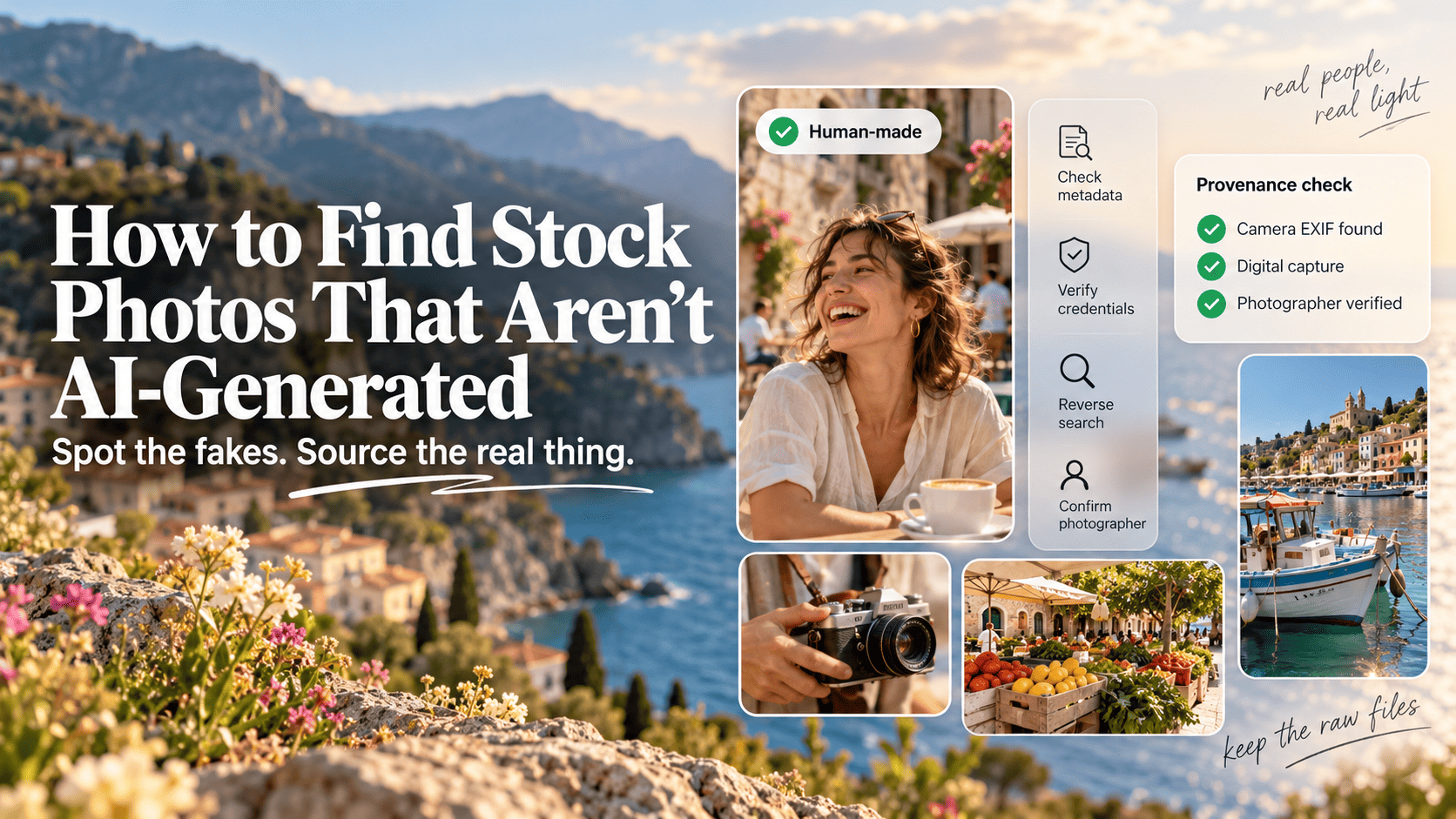
- Start at libraries that ban AI uploads: Unsplash, Pexels, Shutterstock, Stocksy and Getty Images all refuse generated submissions at the time of writing (October 2026). Pixabay and Adobe Stock accept AI content but label it.
- Your eyes aren't enough. In Microsoft's 2025 study of 12,500+ people, participants picked real from AI images only 62% of the time.
- Check metadata first: an IPTC Digital Source Type of
trainedAlgorithmicMediameans the file says it was generated, and the Content Credentials Verify tool reads C2PA data. - Detection tools help but break easily. A 2025 benchmark found several detectors' accuracy on fake images fell close to zero after JPEG compression.
- "Not AI-generated" and "not licensed for AI training" are separate questions. Opt-outs such as Spawning's Do Not Train registry and EU text and data mining reservations cover the second.
- For guaranteed provenance, use museum and government archives or commission a local photographer and keep the raw files.
Why stock libraries need checking now
Generated images have been mixed into stock search results since 2022. Some libraries ban them, some label them, and a few do neither. If you need real photography, for a news story, a testimonial page, a client who has written “no AI” into the brief, or simply because it fits your brand, you can’t assume a stock site has done that work for you.
Buyers are asking for this. In Storyblocks’ 2026 surveys of more than 1,400 people who license content for work, about half said they had rejected a stock asset because it was AI-generated, and between 74% and 94% wanted AI content labelled (Digital Camera World, October 2026). Storyblocks doesn’t accept AI-generated uploads, so it has a stake in that result, but the direction is consistent with what we hear from people using our free stock directory.
The bigger problem is that people overrate their own eye. In the same surveys, about 83% felt confident they could spot AI content. The controlled studies say otherwise:
| Study | Participants | Result |
|---|---|---|
| Microsoft AI for Good, 2025 | 12,500+ | 62% overall accuracy |
| Conjointly, Sept 2025 | 301 US adults | 49% on real photos, 52% on AI |
| Northwestern, CHI 2025 | 50,444 | 74% on real, 76% on AI |
Sources: Microsoft AI for Good Lab, Conjointly, Kamali et al.. Conjointly’s respondents scored at chance level, and only 9% of them got 70% or more right.
A better method is to stack several weak signals until together they make a strong one.
How to find images that are not AI-generated
Source from libraries that ban AI uploads, then confirm each image with metadata, provenance and the photographer’s history. Your own eye is the least reliable check. For any single file:
- Pick a library that bans AI uploads (table below), or turn on the “exclude AI” filter where one exists.
- Scan for visual tells: hands, text, jewellery, reflections, implausible actions.
- Read the metadata. Look at the IPTC Digital Source Type and camera EXIF.
- Check Content Credentials with the free Verify tool.
- Run a reverse image search with Google Lens and TinEye to find the earliest copy.
- Use a detection tool as one vote, never the verdict.
- Confirm the photographer: a real portfolio, other frames from the same shoot, or the raw file.
Steps 3, 4 and 7 carry the most weight. If the metadata says digital capture, the credential checks out and the photographer has twenty other frames from that day, you’re done.
Rule of thumb: A single clean signal is never proof. Two independent signals that agree, such as camera EXIF plus a portfolio with sibling frames, are usually enough for commercial use.
Visual tells
Northwestern researchers sorted the errors in AI images into categories after collecting nearly 750,000 judgements (Kellogg Insight, May 2025). Anatomical errors such as odd proportions were the easiest for people to spot. Functional implausibilities, like a person holding a sandwich the wrong way round, were the hardest. Their finding on time matters too: accuracy on AI images rose from 72% at one second of viewing to 80% at ten seconds, so give each image a proper look.
What to zoom in on:
- Hands and teeth: extra or fused fingers, too many teeth, nails that merge into skin.
- Text and signage: letters that look right from a distance and dissolve when you zoom in.
- Objects in use: cables that go nowhere, cups held by nothing, tools gripped in ways that wouldn’t work.
- Skin and fabric: a waxy, poreless finish, or patterns that repeat or melt at the edges.
- Light: shadows pointing different ways, reflections that don’t match the scene.
- Backgrounds: people or buildings that turn into smudges the further back they go.
Newer models make fewer of these mistakes, and real photos can have odd artefacts too, especially after heavy retouching. Treat a tell as a reason to dig further.
Watch out: Landscapes are the hardest category. In Microsoft’s study, participants did best on photos of people and worst on natural and urban scenery. If you’re buying scenic stock, lean on metadata and provenance.
Metadata: EXIF and IPTC
Metadata is the fastest objective check. Open the file in Photoshop or Lightroom (File Info), in Windows file properties, in macOS Preview’s inspector, or with the free command-line tool ExifTool.
EXIF tells you about capture: camera make and model, lens, exposure settings, date taken. A full set of believable camera data is a good sign. IPTC carries descriptive and rights data, and it includes a field built for this question: Digital Source Type. Google announced in May 2023 that it would use this IPTC field to signal AI-generated images and make sure its own AI images carry it (IPTC).
The values worth knowing, from the IPTC controlled vocabulary:
| IPTC value | Plain meaning | Verdict |
|---|---|---|
digitalCapture |
Captured from real life with a camera | Good sign |
algorithmicallyEnhanced |
Sharpening, noise reduction, no new content | Fine |
compositeWithTrainedAlgorithmicMedia |
Real photo edited with generative AI (inpainting, outpainting) | Partly AI |
compositeSynthetic |
Composite with at least one AI-generated element | Partly AI |
trainedAlgorithmicMedia |
Created with generative AI | AI image |
In ExifTool, the field shows up as Digital Source Type. Search the raw output for trainedAlgorithmicMedia and you’ll catch both full and partial AI files in one go.
Common mistake: Reading empty metadata as proof of AI. Social platforms and many website builders strip EXIF and IPTC on upload. An IPTC test found Facebook, Twitter and Flickr removing embedded rights data back in 2013 (ProVideo Coalition). Blank fields just mean you move on to the next check.
Content Credentials (C2PA)
Content Credentials are a signed record of how a file was made and edited, built on the open C2PA standard. Upload a file or paste a public image URL into the Content Credentials Verify tool and, according to the tool’s documentation, it shows the signer, the app used, any AI generation or editing actions, camera capture details if present, and any do-not-train notice the creator attached. If there’s no manifest, you’ll see “No Content Credential”.
Google said in September 2024 that its “About this image” panel in Google Images, Lens and Circle to Search would surface C2PA data showing whether AI tools created or edited an image (Google). Regulation is pushing the same way. Since 2 August 2026, the EU AI Act’s Article 50 requires providers of generative AI systems to mark synthetic output in a machine-readable way, with a grace period to 2 December 2026 for systems already on the market (Baker Botts).
That makes a positive credential strong evidence. A missing one is weak evidence, because older files, most stock libraries’ downloads and any re-saved image won’t have one.
Reverse image search
Reverse search answers a different question: where did this image first appear? Run it through Google Lens and TinEye. TinEye lets you sort by oldest, which is the useful view.
What you’re looking for:
- An earlier upload on a photographer’s own site, Flickr or 500px with a full series around it. That’s strong evidence of a real shoot.
- Matches only on AI art communities or prompt-sharing sites. That’s a red flag.
- A copy dated well before 2022. Photorealistic text-to-image tools went mainstream in 2022, so an older dated copy is strong evidence of a real photo. GAN-made faces are the exception: they’ve circulated since around 2019.
- No matches at all. Common for fresh stock. It’s neutral.
AI detection tools
Detectors such as Hive, AI or Not, Sightengine and Illuminarty return a probability score. They’re useful for triage, but a score alone won’t hold up if a client questions an image.
The research is blunt about why. A 2025 benchmark, AIGIBench, tested well-known detectors under real-world conditions. The best averaged about 80% accuracy, and under JPEG compression and added noise, accuracy on fake images fell close to zero for all of them while real photos still passed (Li et al., 2025). Bellingcat’s earlier test of AI or Not found the same pattern on a smaller scale: it caught all 100 uncompressed Midjourney images, then missed 7 of 10 once they were compressed, and it flagged 6 of 20 real photo competition entries as AI (Bellingcat, 2023).
Since stock downloads are almost always compressed JPEGs, they hit detectors at their weakest.
Worth knowing: False positives hurt real photographers. Heavily edited, high-dynamic-range and award-style images get flagged as AI more often than plain snapshots. Never accuse a contributor on a detector score alone.
Confirm the photographer
This is the strongest check and the one most people skip. Click through to the contributor’s profile and ask:
- Do they have a real portfolio with a consistent style, gear and locations over several years?
- Are there sibling frames from the same shoot, where the same person appears in slightly different poses?
- Do they link to a personal site, an Instagram with behind-the-scenes posts, or a client list?
- Does the EXIF camera body match across their uploads?
Generated portfolios tend to look oddly uniform: many unrelated subjects, the same glossy finish, no repeat sessions. For high-stakes use, email the photographer and ask for the raw file, which a generator can’t produce.
Which stock sites ban or label AI
Most of the big free sites ban AI uploads, and the paid agencies are split. Here’s where things stood when we checked each policy page in October 2026.
| Library | AI uploads | How it handles them |
|---|---|---|
| Unsplash | Not accepted | Banned for photos and illustrations |
| Pexels | Not accepted | “No generative AI content” in upload rules |
| Pixabay | Accepted | Must be labelled with an AI toggle at upload |
| Shutterstock | Not accepted from contributors | Says it can’t verify AI model sources |
| Getty Images | Not accepted | Creative and Editorial libraries are AI-free |
| Stocksy | Not accepted | Also bans Generative Fill edits and AI props |
| Adobe Stock | Accepted | Labelled; buyers can filter AI out |
Sources: Unsplash, Pexels, Pixabay FAQ, Shutterstock, Getty Images, Stocksy, Adobe Stock.
A few details matter more than the headline:
- Getty Images has refused AI-generated submissions since September 2022 (Hyperallergic). Its current policy, updated September 2026, allows limited retouching but no AI-added subjects or objects, and bans AI editing in editorial except light retouching in staged portraits. Output from Getty’s own AI generator is labelled and kept out of both libraries. The policy page doesn’t mention iStock, so check iStock separately.
- Shutterstock says it can’t verify which model made most AI content, so it can’t make sure every artist is paid. That’s why contributor AI uploads are banned, even though Shutterstock offers AI generation tools of its own.
- Adobe Stock asks contributors to tick “Created using generative AI tools” whenever generative tools added a new main subject. Background extensions and object removal generally don’t need the label. The search filter has offered “exclude generative AI” since April 2023, but it’s only as good as contributor honesty.
- Pixabay welcomes AI content if it’s original and labelled, and says it’s working on detection systems. If you need human photography only, Pixabay needs a closer look than Unsplash or Pexels.
Bans depend on moderation, and some generated images slip through on every platform before they’re removed, which is why the checklist still matters.
Before a big download session, reread the library’s upload rules. These policies have changed several times since 2022, and a dated screenshot of the page belongs in your asset notes alongside the licence.
Contests and client contracts
Photo contests became the test case for AI rules after April 2023, when Boris Eldagsen won the creative open category of the Sony World Photography Awards with “Pseudomnesia: The Electrician”, then refused the prize and revealed the image was AI-generated (Silicon Republic). The organisers said he’d told them the work was a “co-creation” with AI, and removed him from the competition (Amateur Photographer).
Many contests now ask for evidence on top of a signed declaration. TechRadar’s 2024 round-up found Close-Up Photographer of the Year banning generative AI entirely and asking for raw files in later rounds, and the British Photography Awards extending unedited source-file checks to all shortlisted imagery “due to AI” (TechRadar).
Clients are borrowing the same approach. If you’re writing or signing a brief, a workable AI clause covers four things:
- Definition. Say whether “no AI” means no generated images, or also no generative edits such as Generative Fill.
- Warranty. The supplier confirms deliverables match the definition.
- Evidence. Raw files, Content Credentials, or the stock licence and source URL for each asset.
- Remedy. Replacement at the supplier’s cost if a file turns out to be generated.
Agencies supplying clients should keep the evidence trail even when the contract doesn’t ask for it. The habit costs two minutes per asset.
Not AI-generated vs not licensed for AI training
Buyers often mix these up. “Not AI-generated” describes how the image was made. “Not licensed for AI training” describes what machines may do with it later.
A photo can be 100% human-made and still end up in a training dataset. Opting out is the creator’s call, and the tools are:
- Do Not Train registries. Spawning’s registry collected opt-outs for 80 million artworks ahead of Stable Diffusion 3’s training, about 3% of the LAION dataset, with ArtStation and Shutterstock feeding opt-outs in through partnerships (The Decoder, March 2023).
- EU text and data mining reservations. Article 4 of the EU Copyright in the Digital Single Market Directive lets anyone mine online content unless the rightsholder reserves those rights in a machine-readable way, and the EU AI Act requires general-purpose AI providers to respect those reservations (Reed Smith). A December 2025 Hamburg appeal ruling suggested an opt-out written in ordinary prose may not count, so a signal software can parse, such as the TDMRep protocol or robots.txt rules is the safer choice.
- Content Credentials. A C2PA manifest can carry a do-not-train assertion, which the Verify tool displays.
- Licence terms. Some licences forbid using the images to train models. Check the licence itself; it’s the only place this is binding.
For a buyer, the practical point is this: a do-not-train flag doesn’t stop you using the image in your work, and it tells you nothing about whether the image is real. You still need the checks above. If you publish your own photography, the same tools let you keep it out of training sets. For more on licence wording, see our guide to free stock photo licences and legal risk.
Worth knowing: AI answer engines are starting to read provenance signals too. As a Melbourne AI SEO consultant, Saijo George sees original, well-attributed imagery with intact metadata as part of what makes a page worth citing. Stripping your own image metadata to save a few kilobytes throws that away.
Archives with built-in provenance
For guaranteed human photography at no cost, go to institutional archives. Their images come from physical collections or the institution’s own photographers, with catalogue records saying who made them and when. Generated images are rare because nothing gets in without curation.
| Archive | What you get | Watch out for |
|---|---|---|
| Library of Congress | Free to Use and Reuse sets, historic photos | Rights vary by collection; read each record |
| Smithsonian Open Access | CC0 images, 2.8 million at launch in 2020 | Only items marked CC0 are unrestricted |
| NASA | Space, science, aviation imagery | No endorsement implied; logos protected |
| Wellcome Collection | Medical and social history | Licences vary: CC BY, CC BY-NC or public domain |
| State Library Victoria | Australian historic photos | Credit the collection; Indigenous content needs permission |
| Trove (National Library of Australia) | Aggregated Australian collections | Rights set by each contributing institution |
| Wikimedia Commons | Huge mixed collection | Hosts some AI images; check each file |
Notes on the trickier ones:
- Library of Congress groups rights-clear images into themed Free to Use and Reuse sets, a quick way to browse without reading every rights statement.
- Smithsonian released 2.8 million CC0 images in February 2020 and has added more since.
- NASA content is generally not subject to US copyright, but its media guidelines forbid implying NASA endorses a product, protect the insignia, and warn that identifiable people may have publicity rights.
- State Library Victoria no longer requires a permission application for out-of-copyright items, but asks for a credit line naming the collection, and items with Indigenous content always need prior permission (SLV guide).
- Wellcome Collection asks for a credit on every image and marks each one’s licence; some are non-commercial only (Wellcome).
- Wikimedia Commons has a dedicated AI-generated media guideline, which tells you those files exist there. Read the file description and the uploader’s history, and prefer files from institutional uploads such as museum partnerships.
For documentary and news imagery, paid sources such as AP Images, Reuters Pictures, AAP in Australia and the editorial side of Getty Images have the strictest provenance of all, with named staff photographers and caption metadata. They’re editorial-only for most uses, so they won’t suit ads or packaging. NGOs and documentary projects sometimes license their work for campaigns. Ask directly and expect credit requirements.
Paying photographers fairly
When you pay for stock, the platform you choose decides how much of your money reaches the photographer. Royalty splits are rarely shown on the buying side, so check the contributor pages.
Stocksy, an artist-owned co-op that bans AI content, pays contributors 50% of standard licence revenue and 75% of extended licences (Stocksy support). If supporting working photographers matters to you, a higher price per image on a co-op often sends more money to the person who took it than a cheap subscription does.
Other ways to put that into practice:
- Credit photographers even when the licence doesn’t require it. On Unsplash and Pexels, credit is optional and still worth doing. It drives work to them.
- Buy direct. Many photographers sell licences from their own sites at rates comparable to premium stock.
- Look for underrepresented creators deliberately. Several stock collections and co-ops highlight photographers from communities stock photography has historically left out, and they usually show better range than generic libraries.
- Pay for extended rights when you need them. Using a standard licence beyond its terms takes money from the photographer as well as creating legal risk.
Cheaper ways to get original photos
If stock doesn’t fit, original photography costs less than most people expect, and it’s the only route that guarantees you own the provenance trail outright.
Book a local photographer for a half day. Emerging photographers, photography students and portfolio-builders often quote well below established studios. Get two or three quotes, agree usage rights in writing, and ask for raw files or a contact sheet as part of the deliverable.
Set up a repeat arrangement. A quarterly half-day with the same photographer builds a consistent library and usually earns a better rate than one-off bookings. Plan each session around a shot list: team, workspace, product in use, process details, seasonal scenes.
Rent the studio and gear. Hourly studio hire and camera rental houses exist in most Australian capital cities. A borrowed backdrop and two rented lights cover most product work.
Shoot it yourself. A recent phone in good daylight handles product, workspace and behind-the-scenes images well. Shoot near a window, wipe the lens, shoot more frames than you think you need, and keep the originals. Google’s Pixel 10 adds Content Credentials to every JPEG it captures (Security Affairs, September 2025), which gives you provenance from the first frame.
Whichever route you take, keep the raw files in a dated folder. They are your proof if anyone ever questions an image.
Auditing your brand image library
If your site or brand folder has years of stock in it, some of it may be generated, especially anything bought after 2023 from libraries that accept AI. An audit doesn’t need special software.
- Export a list of every image on the site and in the shared brand folder, with filenames and source if known.
- Batch-check metadata with ExifTool and flag any file containing
trainedAlgorithmicMedia,compositeWithTrainedAlgorithmicMediaorcompositeSynthetic. - Check sources. Anything from Pixabay, Adobe Stock or an unknown origin goes into a closer-look pile.
- Prioritise by risk. Testimonials, team pages, case studies and anything presented as real customers, staff or events come first. A generated image on a “meet the team” page is a trust problem even if it’s legal.
- Replace or disclose. Swap in original photography where authenticity matters. Where an AI image is fine but undisclosed, add a caption or alt text note.
- Fix the intake. Add “source URL, licence, and AI status” to your asset notes going forward.
Rule of thumb: If an image implies “this happened” or “this is us”, it needs to be real. If it’s clearly decorative, AI may be fine, as long as you’re honest about it.
If you tell customers your images are real, be specific. “All product photos shot in our Brunswick studio” is credible. “100% authentic” with no detail isn’t. Some brands now publish a short imagery policy in the site footer, and keeping Content Credentials intact on your own photos lets anyone check the claim.
The libraries that ban AI are a good starting point, and our directory of free stock sites notes which ones do. For anything that has to stand up to questions, the checklist above and a photographer you can email will do more than any filter.
Questions you may have
Is it illegal to use AI-generated stock photos?
No. Using a properly licensed AI image is legal in most places, including Australia. The issue is disclosure and fit. Some clients, publishers and contests ban AI imagery in their contracts or rules, and from 2 August 2026 the EU AI Act requires providers of generative AI systems to mark their output as machine-readable AI content (Baker Botts summary). Check the brief before you check the image.
Does Unsplash have AI-generated photos?
It shouldn't. Unsplash's submission guidelines say it does not accept content created by AI generative models, for photos or illustrations. Moderation still misses some generated images before they're removed. For anything sensitive, such as a news story or a testimonial page, run the file through the checklist in this guide and look at the photographer's wider portfolio.
Can I filter out AI images on Adobe Stock?
Yes. Adobe Stock search has a generative AI filter with three settings: exclude AI, show only AI, or show both. Adobe announced it in April 2023. It relies on contributors ticking the "Created using generative AI tools" box, so a mislabelled file can still appear in excluded results. Treat the filter as a first pass and check anything important.
If an image has no EXIF data, does that mean it's AI?
No. Missing metadata proves very little. Most social platforms and many content management systems strip EXIF and IPTC fields on upload, and an IPTC study found Facebook, Twitter and Flickr removing embedded rights data as far back as 2013 (ProVideo Coalition report). Empty metadata means you need another check, usually a reverse image search or the photographer's original upload.
Which free AI image detector is the most accurate?
None is reliable enough to settle a question on its own. A 2025 benchmark called AIGIBench found that the best of the detectors it tested averaged about 80% accuracy, and that JPEG compression pushed fake-image accuracy close to zero for all of them (Li et al., 2025). Use a detector as one vote alongside metadata and provenance.
Are public domain archives free of AI images?
Mostly. Collections like the Library of Congress, Smithsonian Open Access and NASA are digitised from physical holdings or the agency's own photography, so generated images are rare. Wikimedia Commons is different. Anyone can upload, and it does host AI-generated files under its own AI-generated media guideline. Read each file's description page and check the uploader before you use it.
How do I ask a photographer to prove a photo isn't AI?
Ask for the raw file, or a set of frames from the same shoot. Generated images don't come with a run of near-identical camera files sharing the same EXIF camera body and sequential file numbers. Photo contests use this test: Close-Up Photographer of the Year asks for raw files in later judging rounds (TechRadar, 2024). A working photographer can usually send these within a day.
Does Content Credentials tell me if a photo was edited with Generative Fill?
It can, if the credential survived. Adobe apps record generative edits as actions in the C2PA manifest, and the Verify tool lists them in its process panel. In IPTC terms, an inpainted or outpainted photo should carry compositeWithTrainedAlgorithmicMedia rather than digitalCapture. If the manifest was stripped by a re-save or an upload, Verify shows "No Content Credential" and you're back to the other checks.
Can I use a photo marked do not train in my marketing?
Yes. A do-not-train flag only tells AI developers not to scrape the image for model training. It has no effect on you placing it in a brochure or blog post, which is governed by the normal licence. Read the licence for that, and see our guide to free stock photo licence types for what each one allows.
Sources
- IPTC: Digital Source Type NewsCodes vocabularycv.iptc.org
- Content Authenticity Initiative: Verify toolverify.contentauthenticity.org
- Baker Botts (2026): EU AI Act Article 50 transparency obligations go livebakerbotts.com
- Unsplash Help: Submission guidelineshelp.unsplash.com
- Adobe Community (2023): Generative AI filter now available in Adobe Stock searchcommunity.adobe.com
- ProVideo Coalition (2013): IPTC study on social networks removing photo metadataprovideocoalition.com
- Li et al. (2025): AIGIBench, benchmarking AI-generated image detectors (arXiv)arxiv.org
- Wikimedia Commons: AI-generated media guidelinecommons.wikimedia.org
- TechRadar (2024): How photo contests are dealing with AI-generated entriestechradar.com
- Content Authenticity Initiative docs: How the Verify tool worksopensource.contentauthenticity.org
- Digital Camera World (2026): Storyblocks survey of image buyers on human-made vs AIdigitalcameraworld.com
- Microsoft AI for Good Lab (2025): How good are humans at detecting AI-generated images? (arXiv)arxiv.org
- Conjointly (2025): Can people tell real images from AI?conjointly.com
- Kamali et al., Northwestern (CHI 2025): Characterizing photorealism and artifacts in AI images (arXiv)ar5iv.labs.arxiv.org
- Kellogg Insight (2025): Are we any good at spotting AI fakes?insight.kellogg.northwestern.edu
- ExifTool by Phil Harveyexiftool.org
- IPTC (2023): Google announces use of IPTC metadata for generative AI imagesiptc.org
- Google (2024): Content transparency and C2PA in Google productsblog.google
- Google Lenslens.google
- TinEye reverse image searchtineye.com
- Hive: AI-generated content detectionhivemoderation.com
- Sightengine: AI-generated image detectionsightengine.com
- Illuminartyilluminarty.ai
- Bellingcat (2023): Testing AI or Not, how well does an AI image detector do its job?bellingcat.com
- Pexels Help: Requirements for uploading photoshelp.pexels.com
- Pixabay: FAQpixabay.com
- Shutterstock Contributor Help: Content policy updates, AI-generated contentsubmit.shutterstock.com
- Getty Images: AI-free imagery policygettyimages.com
- Stocksy Support: Policy on AI-generated contentsupport.stocksy.com
- Adobe Stock Contributor: Generative AI content guidelineshelpx.adobe.com
- Hyperallergic (2022): Getty Images bans AI-generated contenthyperallergic.com
- Silicon Republic (2023): Boris Eldagsen refuses Sony World Photography Award for AI imagesiliconrepublic.com
- Amateur Photographer (2023): SWPA winner reveals photo was AI-generatedamateurphotographer.com
- The Decoder (2023): Artists remove 80 million images from Stable Diffusion 3 training datathe-decoder.com
- Reed Smith: Text and data mining in the EUreedsmith.com
- W3C Community Group: TDM Reservation Protocol (TDMRep)w3.org
- Library of Congress: Free to Use and Reuse setsloc.gov
- Trove, National Library of Australiatrove.nla.gov.au
- Smithsonian (2020): Smithsonian releases 2.8 million images into the public domainsi.edu
- NASA: Images and media usage guidelinesnasa.gov
- State Library Victoria: Copies and permission for picturesguides.slv.vic.gov.au
- Wellcome Collection: Images and copyrightdocs.wellcomecollection.org
- Stocksy Support: Contributor royalty ratessupport.stocksy.com
- Security Affairs (2025): Google Pixel 10 adds C2PA to Camera and Photossecurityaffairs.com